Stay up to date — Follow our latest product updates and improvements. We ship new features regularly to enhance your AI calling experience.
Oct 1 2026
💬 WhatsApp Pricing Update
Meta started charging for WhatsApp replies on October 1, so we’ve updated pricing to match. Nothing changes for most conversations.- 💬 Replies: each number gets 1,000 replies per month at the usual price. After that, Meta’s fee for the recipient’s country is added.
- 📱 WhatsApp Business app numbers (Coexistence): Meta bills these directly to your WhatsApp Business Account.
- 📥 Messages you receive: no change.
Sep 29 2026
🎙️ New Voice Model: ElevenLabs v4 Turbo
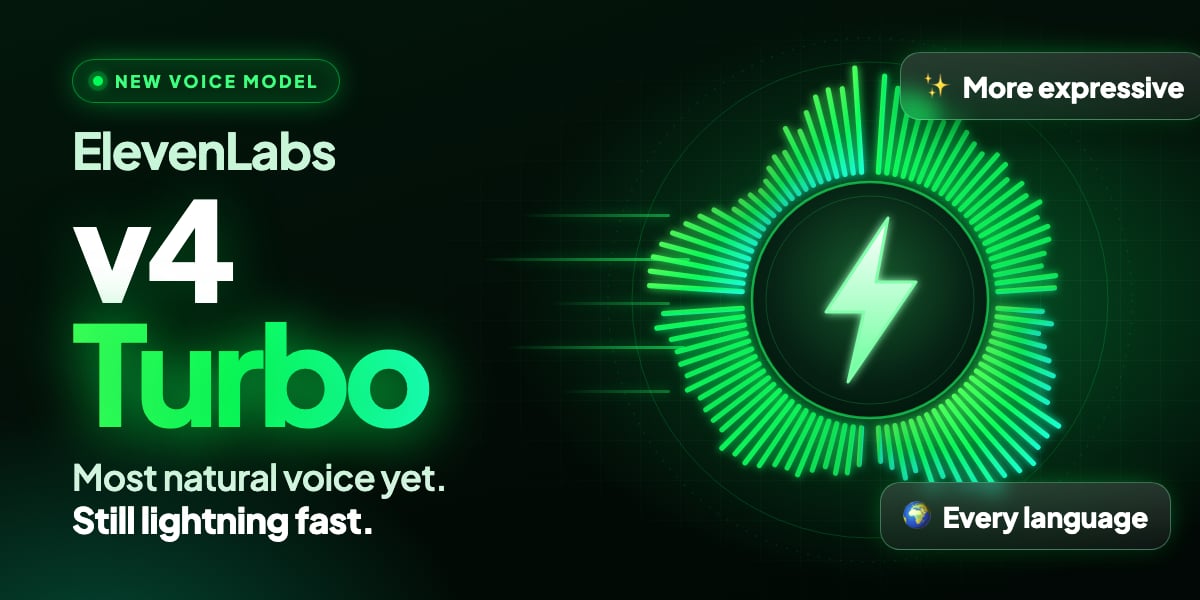
- Sounds more human: warmer intonation, more natural pacing and real emotion, so callers feel like they’re talking to a person, not reading a script.
- Quick to respond: made for real-time conversations, with noticeably faster replies than v3 Conversational.
- Every language: it speaks every language available with ElevenLabs voices, including the ones Flash v2.5 doesn’t cover, such as Hebrew and Albanian.
- Native in every language: when your assistant speaks another language, it uses a natural local accent instead of carrying over the accent of the original voice.
- Works with the voices you already use: pick any ElevenLabs voice from the library and switch it to v4 Turbo.
Sep 19 2026
🧩 Advanced Mode Redesign, Version History & Gemini 3.8 Live
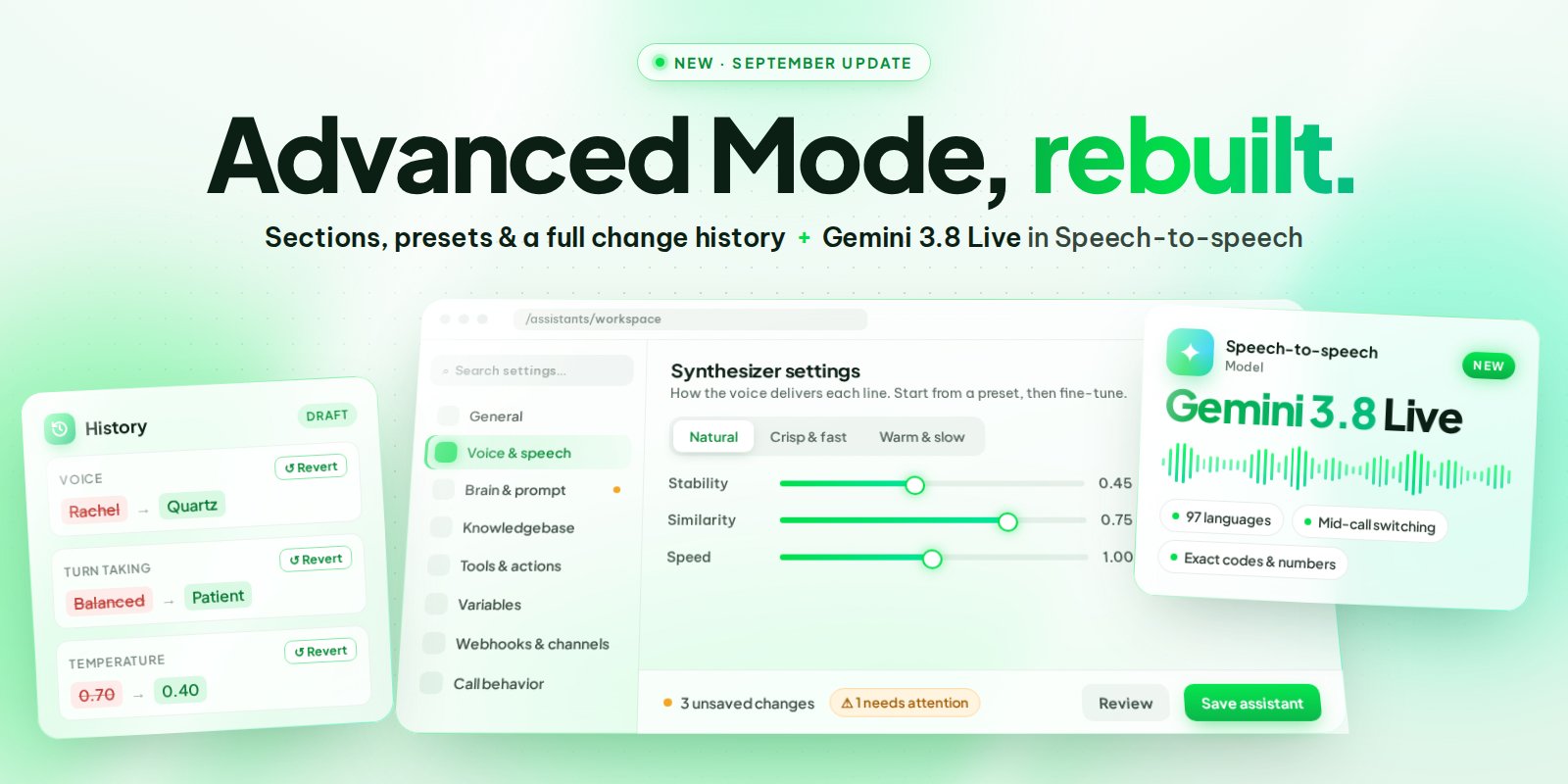
- Eight clear sections: General, Voice & speech, Brain & prompt, Knowledgebase, Tools & actions, Variables, Webhooks & channels, and Call behavior. Pick one, edit, move on.
- Search any setting: type what you’re looking for and jump straight to it, no scrolling.
- Needs attention: if something is missing or will stop the assistant from working, it’s flagged at the top with a button that takes you right to the field.
- One-click presets: set the voice to Natural, Crisp & fast or Warm & slow, and turn-taking to Patient, Balanced or Snappy. Start from a preset, then fine-tune if you want.
- A save bar that counts: it shows how many unsaved changes you have across all sections, lets you review them, and asks before discarding anything.
- Help that points to the right place: every “Learn more” opens the docs page for that exact setting instead of the documentation home.
- Creating a new assistant uses the same workspace, with a step bar to guide you from start to finish.
🕓 Version History With a Clear Before and After
Every change you make to an assistant is now tracked, so you can experiment without being afraid of breaking something that works.- See your draft: before you save, History lists every field you changed, with the old value next to the new one.
- Every save is a version: saved changes are kept as a timeline you can scroll back through, all the way to when the assistant was created.
- Revert one line, not everything: changed the voice and the prompt but only regret the voice? Revert just that line and keep the rest.
✨ New in Speech-to-speech: Gemini 3.8 Live
Google’s newest real-time voice model is now available for your assistants. It’s built for production phone calls, and it shows where calls usually go wrong.- 97 languages, switching mid-call: the caller changes language halfway through and the assistant follows, with a consistent accent.
- Keeps talking while it works: it can look something up in the background and keep the conversation going instead of falling silent.
- Gets the details right: confirmation codes, claim numbers and other exact data are understood and read back more accurately.
📊 One Period Selector for the Whole Dashboard
- Change every widget at once: pick 7, 30 or 90 days, the last 12 months, all time, or a custom range, and every widget on your custom dashboard follows. Your saved widget settings stay as they are.
- All-time numbers: widgets are no longer capped at one year, which makes lifetime reports for clients easy.
- Clearer wording: “Last year” is now “Last 12 months”, which is what it always meant.
📞 Know Who Ended the Call
Call details now show whether the caller, the assistant or the system hung up. Handy when you’re reviewing short calls and want to know if the customer left or the assistant closed the call on purpose.Sep 13 2026
🚀 GPT Live 1: Full-Duplex Voice
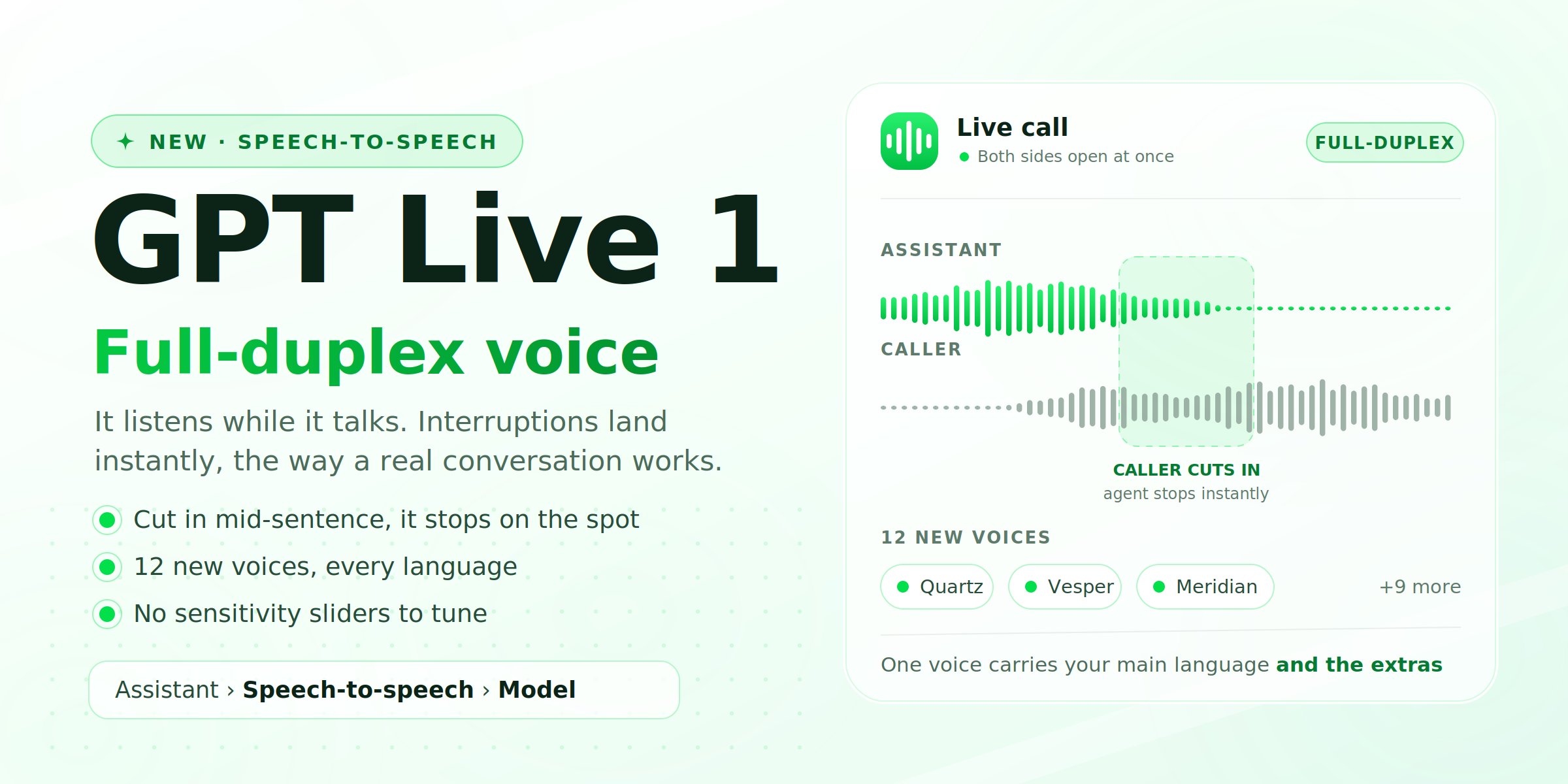
- Interruptions land instantly — cut in mid-sentence and it stops on the spot, then picks up your point. No talking over each other, no awkward half second.
- “Mhm”, “yeah”, “right” — the little noises people make while listening no longer throw it off or trigger a restart.
- It thinks before it answers — it can reason through a question and still reply in natural time, instead of going silent while it works.
- Nothing to tune — interrupt sensitivity and voice-detection sliders are gone on this model. It handles turn-taking itself, so there’s nothing left to get wrong.
🎙️ Twelve New Voices, Only on This Model
GPT Live 1 comes with its own voice set, not shared with any other model: Quartz, Ripple, Vesper, Willow, Gleam, Bossa, Cinder, Stone, Meridian, Tempo, Beacon and Delta — a mix of male and female, younger and older.- One voice, every language — the same voice carries your assistant’s main language and its extra ones. The previews you hear in the picker are in English; the voice itself is not limited to it.
- Only compatible voices are shown — the picker now filters itself to the model you selected, so you can’t land on a voice the model won’t accept.
📍 Where to Find It
- Open an assistant and set the mode to Speech-to-speech.
- Pick GPT Live 1 in the model dropdown.
- Choose one of the new voices right underneath, press play to preview, then save and place a test call to your own phone.
📞 Smarter Warm Transfers
Handing a live caller to a human just got more control and fewer rough edges.- Reach extensions behind a phone menu — a transfer can now send keypad tones after the call is answered, so the assistant can dial through an IVR to the right extension.
- Stop ringing after X seconds — set how long to ring the person you’re transferring to before giving up, instead of leaving the caller waiting.
Aug 30 2026
🎙️ New Voice Models: ElevenLabs v3, Sonic 3.6 & Inworld TTS-2
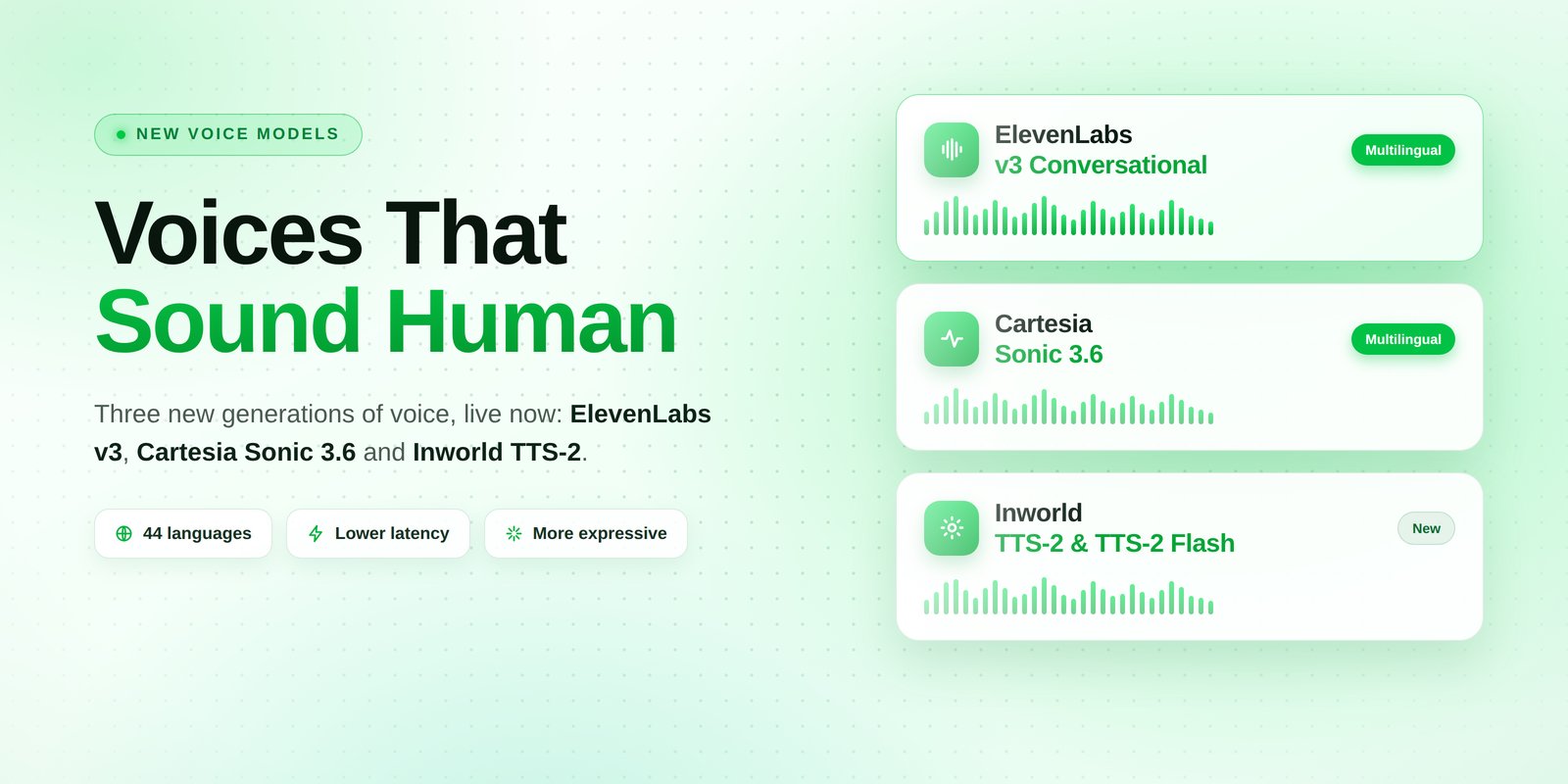
🎙️ Three New Generations of Voice. All Live Today.
This is the biggest jump in voice quality we’ve ever shipped in a single update. The three best text-to-speech engines in the world all released a new generation, and all three are now available to your assistants: ElevenLabs v3 Conversational, Cartesia Sonic 3.6, and a brand new provider, Inworld.The difference is not subtle. These models breathe, pause, emphasise the right word, and stop sounding like something reading a script out loud. If you’ve ever had a caller ask “is this a robot?”, play them one of these.🔊 ElevenLabs v3 Conversational
The most expressive voice available anywhere right now, and it speaks every single language we offer.- Natural delivery — real intonation, natural pauses, emotion that matches what’s being said.
- Every language — the older Flash v2.5 model covers 32 languages. v3 covers the full list.
- Works with multi-language assistants — if your assistant speaks a main language plus extra ones, v3 handles all of them on the same voice.
- Slightly slower to start speaking than Flash. On most calls you won’t notice; if every millisecond counts, Flash v2.5 is still there.
🌊 Cartesia Sonic 3.6
The most natural-sounding Cartesia model yet, and the widest language coverage on the platform: 44 languages.- Warmer, more human delivery than Sonic 3.5, with better handling of long sentences and names.
- Works with multi-language assistants — same as ElevenLabs v3, one voice covers your main language and your extra ones.
✨ Inworld: A Brand New Voice Provider
A completely new provider joins the list, with two models so you can pick your trade-off:- TTS-2 — the most accurate pronunciation and intonation we’ve heard, especially on names, addresses, and numbers. This is the one to use when the assistant has to get details exactly right.
- TTS-2 Flash — the same voices and the same languages, tuned to start speaking faster. Ideal for high-volume calling where response speed matters most.
🎛️ How to Switch (and What Happens to the Old Models)
Nothing changed on your existing assistants. They’re still on the model they were already using, and they’ll keep working exactly as before.- Switch when you’re ready — open an assistant, go to the voice settings, and pick the model right under the voice.
- Test before you commit — place a test call to your own phone after switching. Takes thirty seconds and you’ll hear the difference immediately.
🗣️ Better Transcription Too
Soniox, one of the speech recognition options, moved to its v5 real-time model. Fewer misheard words, better with accents, and quicker to react when a caller starts talking.📚 Import Voices From the Provider Voice Libraries
You’re no longer limited to the voices already on the platform. You can now browse the full public voice libraries of the providers and import any voice you like straight into your account, ready to use on any assistant.🛠️ Improvements and Fixes
- Human takeover on Messenger and Instagram — if you reply to a customer from Facebook or Instagram directly, the assistant now steps back automatically instead of talking over you, and the whole conversation stays in one thread in your inbox.
- Dashboard no longer warns about unsaved changes it invented — leaving a dashboard you hadn’t edited used to pop up a “you have unsaved changes” warning. Gone. You can also dismiss the update notice now.
- Choosing new voice models over the API — the new model names are available through the API and through connected AI apps, so you can set them when creating or updating an assistant there too.
Aug 21 2026
🪄 Simple Mode: Your First Assistant in Five Steps
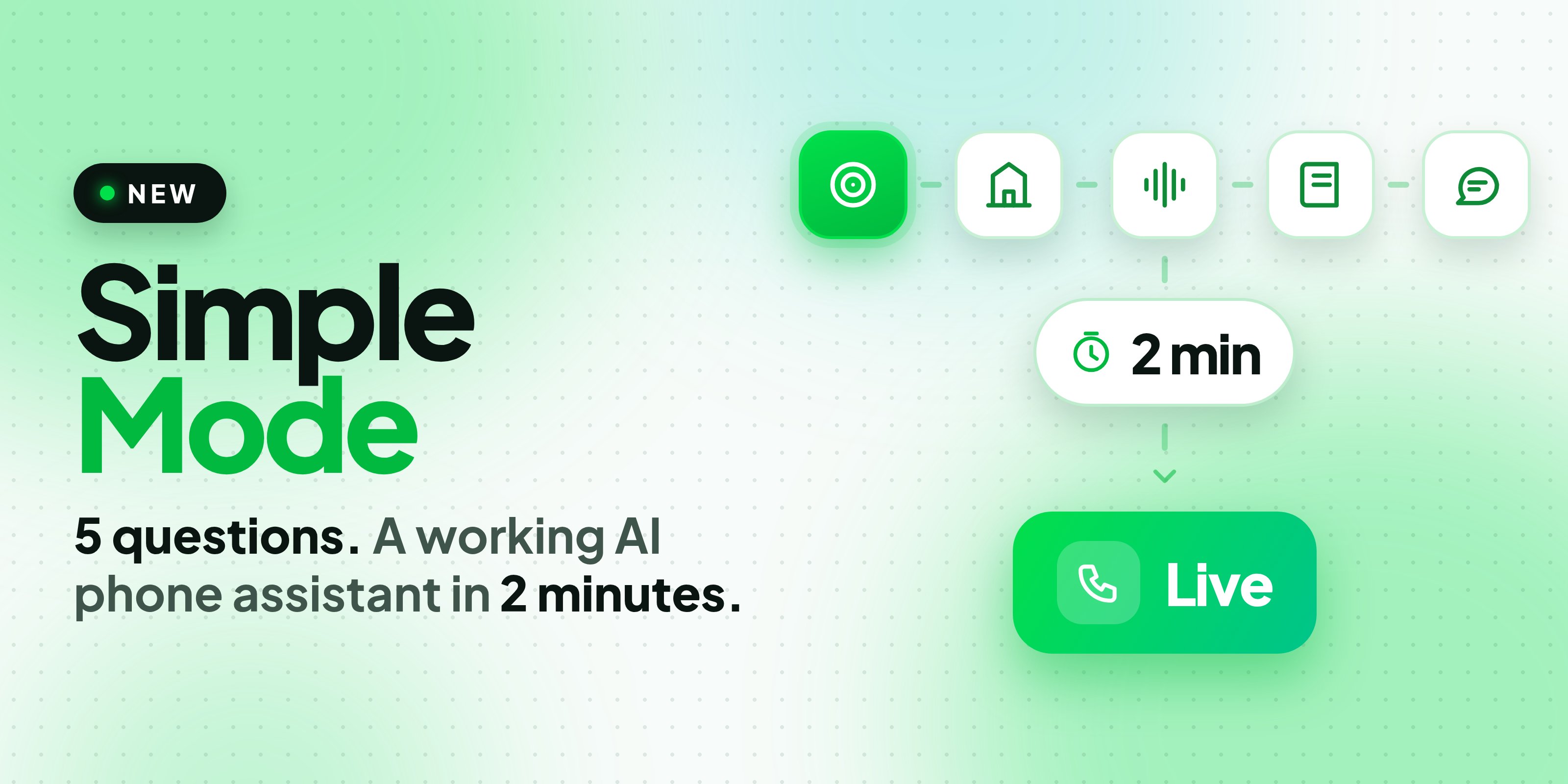
- What it does — pick a goal: answer calls, book appointments, take orders and reservations, call and qualify leads, confirm and remind, or ask for feedback. Then pick your industry. Each goal sets up the right kind of assistant behind the scenes.
- Your business — tell it who you are. Paste your website and it reads the page for your hours, services and prices instead of making you type them out.
- Its voice — choose the language it speaks and the voice it uses. Pick more than one language and it automatically selects a setup that can actually understand all of them, not just the first.
- What it knows — connect your calendar so it can check real availability before offering a time. Cal.com, GoHighLevel and Calendly all connect right there in the flow.
- What it says — the call script is written for you from everything you entered. Read it, change any line, or ask for a rewrite in your own words.
Aug 16 2026
📞 WhatsApp Voice Calls
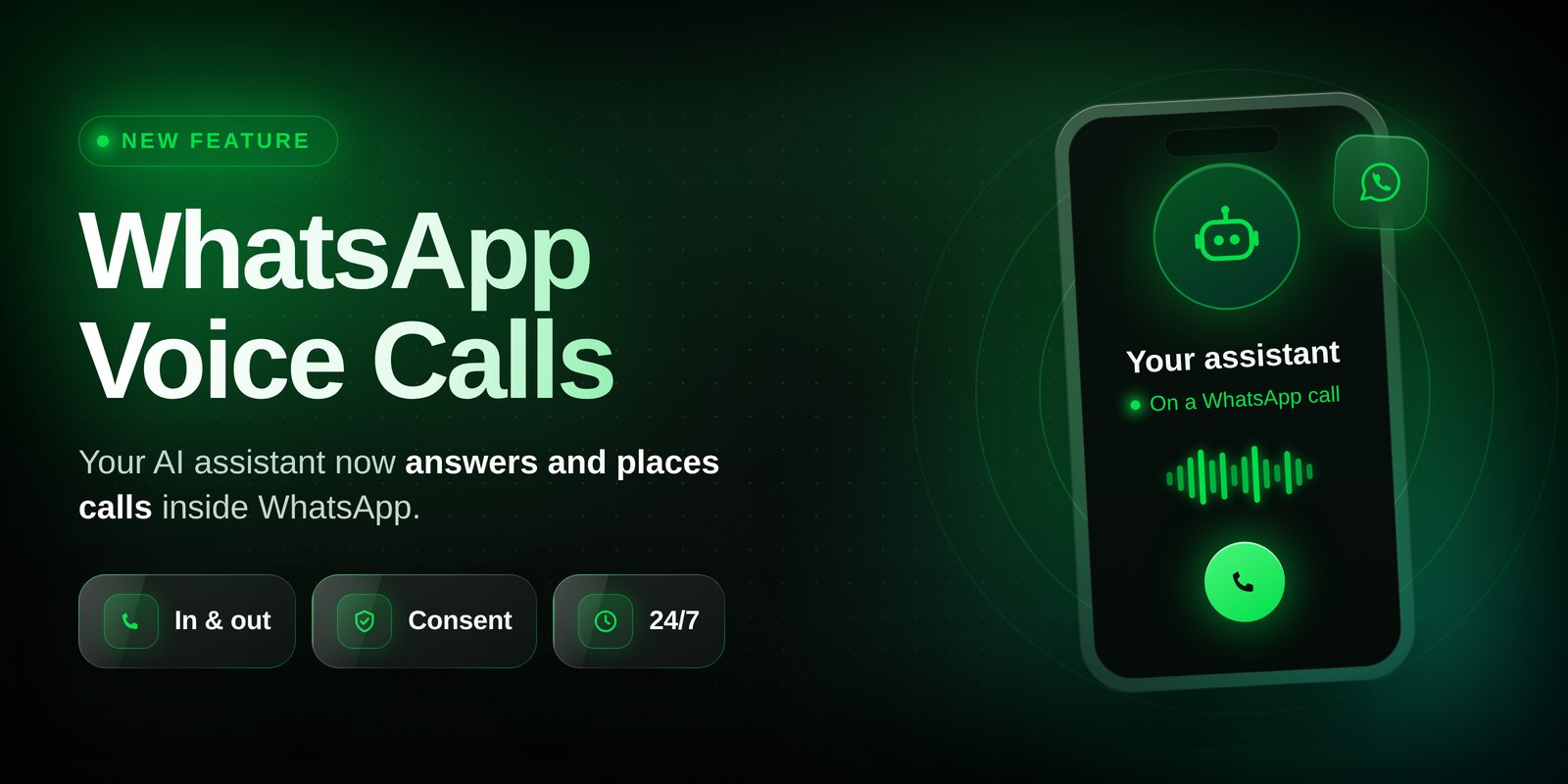
- Customers calling you: anyone can call your WhatsApp number at any time and your assistant answers automatically, day or night.
- You calling customers: WhatsApp asks for consent first. Send an Ask to call request inside the conversation, and once the customer taps Allow, you can call them for the next 7 days.
- One toggle per number: open a WhatsApp sender, switch calling on, and the platform sets everything up for you. Before it turns on, you see exactly which assistant will be answering.
- Same call, same tools: WhatsApp calls behave like any other call. Recording, transcript, post-call analysis, tools, and knowledge base all work the way they already do.
- Everything in one place: WhatsApp calls show up in your calls list with their own icon, and the call also appears inside the chat thread, so the message history and the call history read as one conversation.
- It tells you when it can’t: if a contact isn’t callable yet, or a number isn’t eligible for calling, you get a plain-language reason instead of a silent failure.
🎙️ Import Voices Straight from the Voice Libraries
You’re no longer limited to the voices already on the list. You can now browse the full voice libraries of the built-in voice providers and import any voice you like into your account with one click. It then shows up in the voice picker for every assistant, like all the others.💬 Channels and Inbox
- Ignore message reactions: a new per-number setting so a thumbs-up on your message doesn’t wake the assistant up and trigger a reply.
- Web widget stays put: the widget settings panel no longer closes on you every time you save.
- Group widgets by campaign: custom dashboard widgets can now filter and group by campaign name.
- Instagram setup instructions: connecting an Instagram account now comes with step-by-step instructions in the app, plus a fix for connection screens that failed to load on some accounts.
- Mobile menu fix: opening plans or credits on a phone now closes the side menu behind it.
🛠️ Improvements and Fixes
- Deleting a lot of records at once: large deletions of calls, leads, campaigns, or conversations now run in the background instead of making you wait on a loading screen or timing out.
- Warm transfers, three fixes: the assistant no longer introduces the caller twice, the briefing to the person receiving the call is no longer skipped, and recordings of transferred calls are now saved correctly.
- Bringing your own number: importing a number no longer fails when a matching setup already exists at your carrier.
Jul 27 2026
🤖 Connect AI Now Builds Your Automations
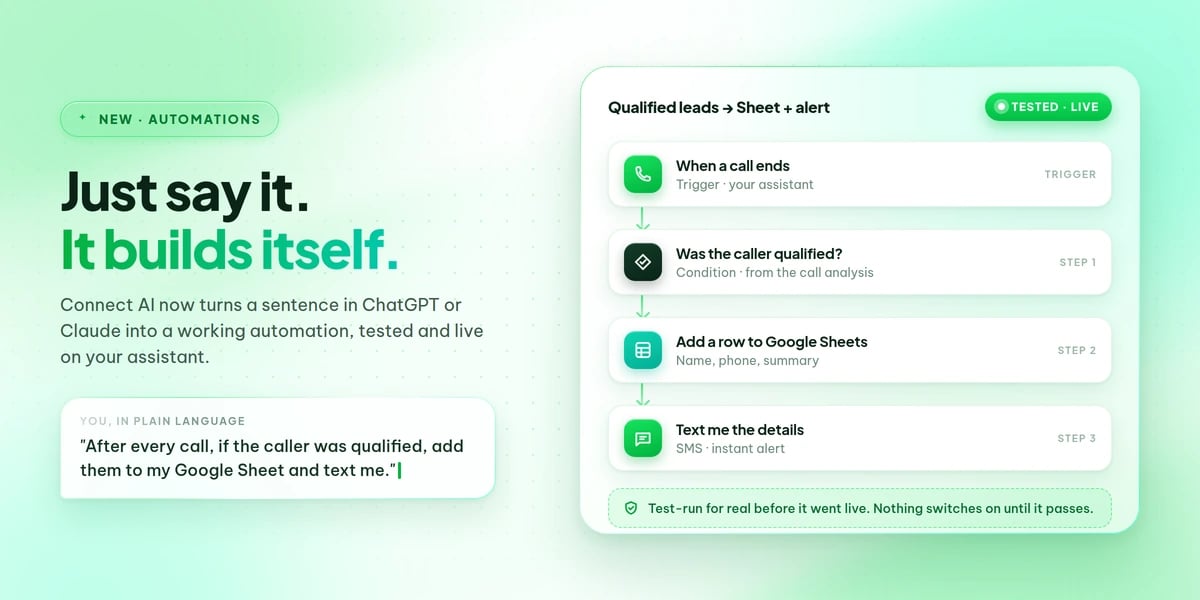
💬 What That Looks Like
Things you can now ask for, word for word:- “After every call, if the caller was qualified, add a row to my Google Sheet with their name, phone and summary.”
- “If a customer asks to be called back later, call them back at the time they asked for.”
- “Give me a link my website form can post leads to, and call every new lead automatically.”
- “During a call, let the assistant look up an order number in my system and read the status back to the caller.”
- “Let callers cancel or reschedule their appointment while they’re on the phone.”
- “Before the assistant offers a discount, text my supervisor and only continue once they approve.”
📚 17 Ready-Made Automations
The AI checks a library of proven automations first, so common requests are set up in seconds instead of built from scratch:- Save qualified leads to a spreadsheet, or log every call to your CRM
- Call the customer back at the exact time they asked for
- Hot lead alerts, SMS or WhatsApp follow-ups, and transcript emails after a call
- Call new leads automatically from a web form, ad platform or spreadsheet
- Confirm or remind before a booking, and cancel or reschedule mid-call
- Recognise returning callers and greet them by name
- Ask a human for approval before the assistant does something sensitive
🔗 Connects to What You Already Use
Spreadsheets, email, calendars, chat apps, CRMs and hundreds of other services are available as steps. Anything without a ready-made connector is still reachable with a plain web request, so your own internal tools work the same way.Accounts are connected once on the Automate page under Connections. After that the AI picks your sheet, your pipeline or your page by name from what’s actually in your account.🛡️ It Tests Before It Goes Live
An automation that looks right but quietly does nothing is worse than no automation. So nothing switches on until it has actually run.- A real test run, not a preview: the automation is executed end to end with a realistic sample of your own data. Only a green run gets attached to your assistant.
- You approve anything that really sends: if the test would send a message, place a call or send an email for real, you’re told first and asked to confirm, using your own number or address.
- Safe repairs: if a change to a live automation fails its test, the previous working version is restored automatically so the automation keeps running. You can roll back any change yourself too.
- No silent overwrites: an assistant that already has an automation for the same event won’t get it quietly replaced.
🔍 Fix What’s Already Running
Ask what went wrong and the AI reads the execution history for you: every run, what each step received and returned, and exactly which one failed and why. Once the cause is fixed, the run can resume from the broken step, so steps that already succeeded are never repeated and nothing gets sent twice. Repairs change only what needs changing and leave the rest of your setup intact.🛠️ Also Worth Knowing
- Available on your API too: if you’d rather build from your own code than by chatting, the same create, test, update, roll back and run history operations are exposed as endpoints.
Jul 26 2026
💬 Facebook & Instagram Messages, 📣 SMS + WhatsApp Campaigns, 🔐 Two-Factor Authentication
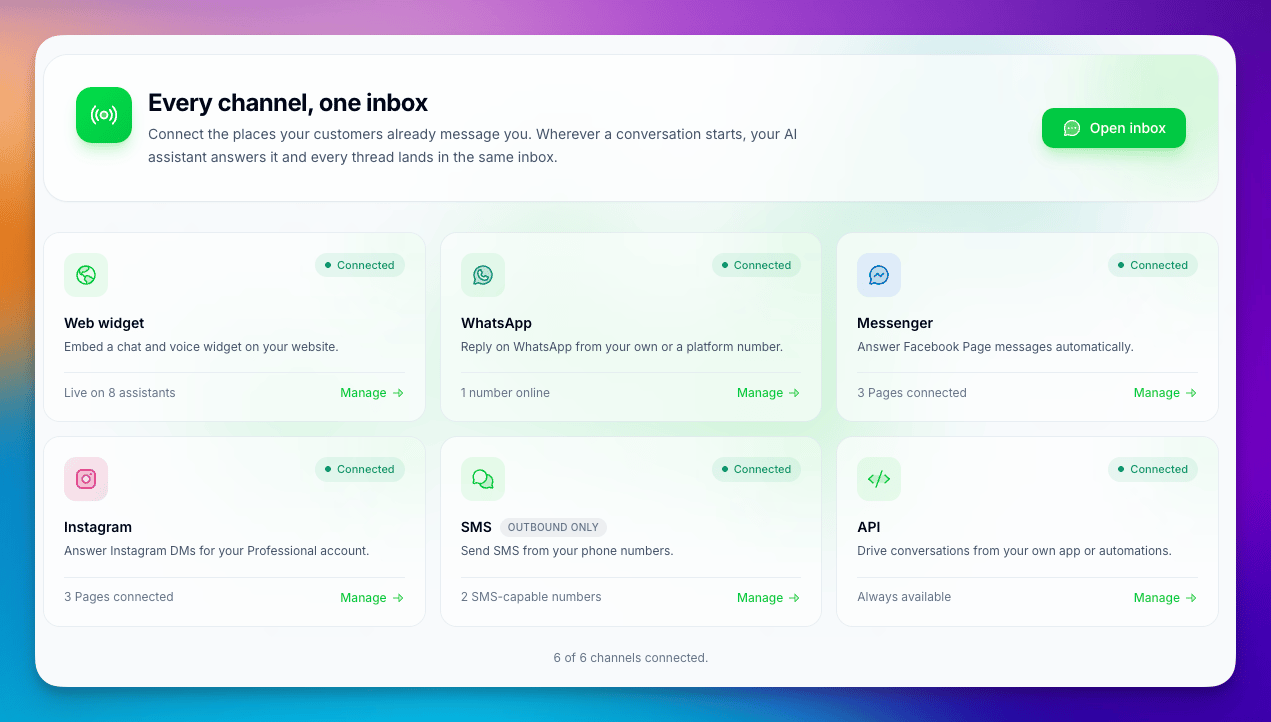
💬 Facebook Messenger and Instagram Messages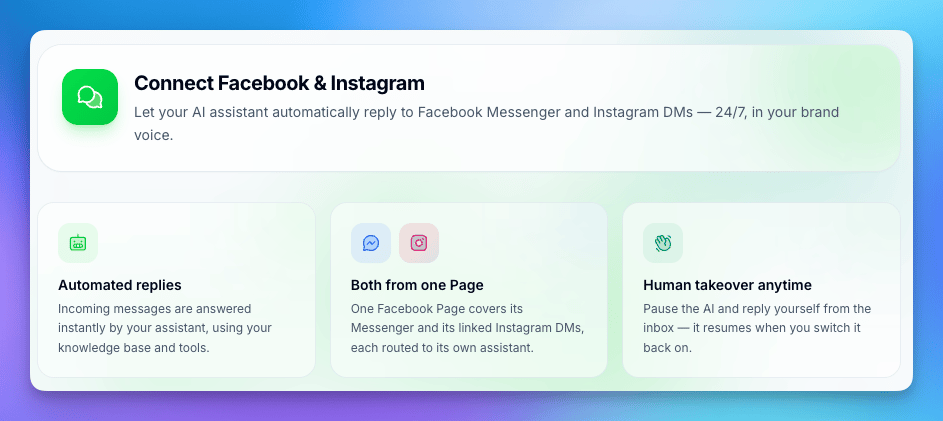
- Connect in a few clicks: link your Facebook Page or Instagram account, pick the assistant that should reply, and you’re live.
- Everything in one inbox: Messenger and Instagram conversations land in the same inbox as your other channels. You can read the full thread, jump in yourself, and take over from the assistant at any point.
- Open in Meta: one click takes you straight to the original conversation on Facebook or Instagram when you need to handle something there.
- Connection health at a glance: each connection shows its current status, and reconnecting after a password or permission change is a single button.
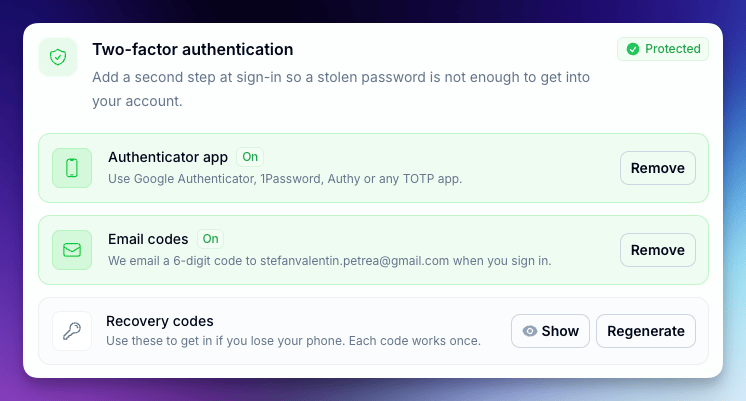
- Two-factor authentication: turn on a second step at login using an authenticator app, or get a one-time code by email if you’d rather not install anything.
- Trusted devices: mark the computer you use every day as trusted so you’re not asked for a code on every login. Remove a device any time and it starts asking again.
- Active sessions: see every browser and device currently signed in to your account, with location and last activity, and sign any of them out with one click.
- Security activity: a running log of logins, password changes, and security settings changes, so you can spot anything you don’t recognise.
- Identity confirmation: sensitive actions now ask you to confirm it’s really you before going through.
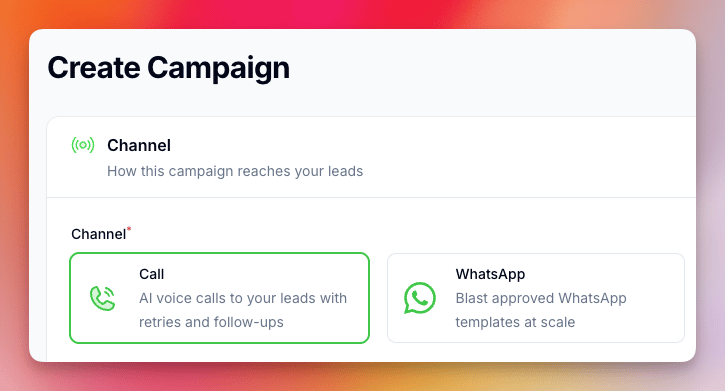
- Pick a channel: when you create a campaign, choose whether it places calls, sends WhatsApp messages, or sends SMS.
- Schedule it in advance: set a start date and time and the campaign switches itself on when the moment arrives. No need to be at your desk.
- Track every message: sent messages and replies show up on the campaign and on each lead, so you can see exactly what went out and what came back.
- Better date and time picker: choosing when a campaign runs is now clearer and harder to get wrong.
Jul 22 2026
🧠 New AI Models: GPT-5.6 (Luna & Terra)
Your assistants can now run on OpenAI’s newest GPT-5.6 models, the latest generation of the AI that understands each request and decides how your assistant responds. Expect sharper reasoning, better instruction-following, and more natural handling of longer, multi-step conversations.Available in two variants, GPT-5.6 Luna and GPT-5.6 Terra. Both are live now in pipeline mode. Pick either one from the model list when you create or edit an assistant.Jul 14 2026
🔇 Turn Off Interruptions in Speech-to-Speech and Dualplex
The Allow interruptions setting now works in every conversation mode, not just Pipeline.Until now, Speech-to-speech and Dualplex assistants were always interruptible: if the caller made any noise while the assistant was talking, it would stop mid-sentence. You can now switch interruptions off in those modes too, so the assistant finishes what it’s saying without being cut short by background noise, TV sound, or someone talking in the room.Where to find it: Assistant settings, Allow interruptions? toggle. Leave it on for natural back-and-forth conversations. Turn it off when the assistant has to deliver something in full, like disclaimers, confirmations, opening hours, or a list of options.Jul 8 2026
🧠 GPT Realtime 2.1 & 2.1 Mini: Now in Speech-to-Speech & Dualplex & WhatsApp Media
🧠 New Voice Models: GPT Realtime 2.1 & 2.1 Mini
Your speech-to-speech and Dualplex™ assistants can now run on OpenAI’s newest voice models. GPT Realtime 2.1 follows your prompt more reliably and sounds more natural on names, numbers, and interruptions. GPT Realtime 2.1 Mini is a lighter, faster option for high-volume or simpler assistants.Both are live now. Pick either one from the model list in any speech-to-speech or Dualplex™ assistant.💬 Send Media on WhatsApp
You can now send images, audio, video, and documents in your WhatsApp messages, not just text. Add a caption or filename and send straight from the inbox or the API.Jun 23 2026
🚀 Build & Manage Your Assistants Right Inside ChatGPT & Claude
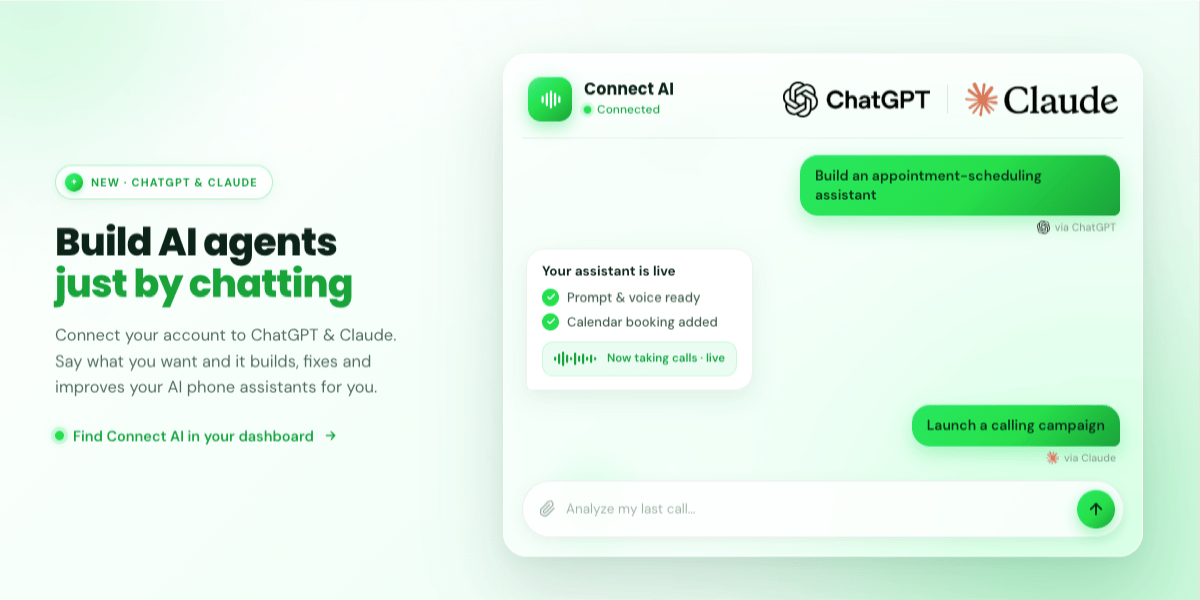
- Build a new assistant from scratch — Describe what you need (“an assistant that books appointments”) and the AI creates it for you: it writes the prompt, picks a natural voice, sets a greeting, and even adds the tools the assistant needs, like checking a calendar and booking slots.
- Fix and improve an existing assistant — Ask it to review an assistant’s prompt and settings. It points out what’s weak and applies the fixes for you.
- Analyze your calls — “Look at my last call and tell me what went wrong.” It reads the full transcript and the call evaluation, explains what to improve, then updates the assistant to match.
- Learn from your history — Ask it to study your last 30 calls, spot patterns, and tune your assistant so it performs better next time.
- Launch calling campaigns — It walks you through setting up an outbound campaign from your leads and starts it for you.
- Handle the day-to-day — Manage phone numbers, leads, and knowledge bases, or send a message — all from the same chat.
- Open the new Connect AI button in your dashboard and copy your secure connection link.
- In ChatGPT or Claude, go to the connectors settings and choose Add custom connector, then paste the link. A built-in, step-by-step guide with screenshots walks you through both apps.
- Sign in to your account and approve. Your tools appear in the AI app, and you’re connected.
⚡ Reliability & Fixes
- Smoother call transfers — More reliable transfers between assistants, including when an assistant hands off to book a meeting.
- Faster chat under load — Increased capacity for handling chat conversations during busy periods.
- Independent dashboard tables — Tables on the dashboard no longer interfere with each other when you page through them.
Jun 16 2026
🔌 Connect External Tools with MCP, 🛠 Redesigned Mid Call Tools, ⚡ One-Click Automation Linking
🔌 Connect External Tools to Your Assistant (MCP)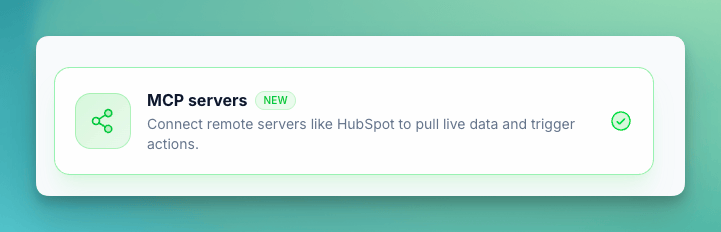
- Add a server in minutes, no code — Paste the server address and (if needed) an authentication header. There’s nothing to install and nothing to build
- Tools discovered automatically — The moment you connect, every tool the server offers is detected and listed, with its description and parameters, so you can see exactly what your assistant can do
- Pick precisely what’s exposed — Turn individual tools on or off per server, so an assistant only gets the abilities you want it to have
- Connect once, reuse everywhere — Assign one server to a single assistant or to many, and manage them all from a dedicated page
- Always know the status — Each server shows a live “connected” indicator, lists its available tools, and gives a clear message (with a one-click re-test) if anything needs attention
- Secure by design — Authentication tokens are stored encrypted, and you stay in control of which tools and permissions each assistant can reach
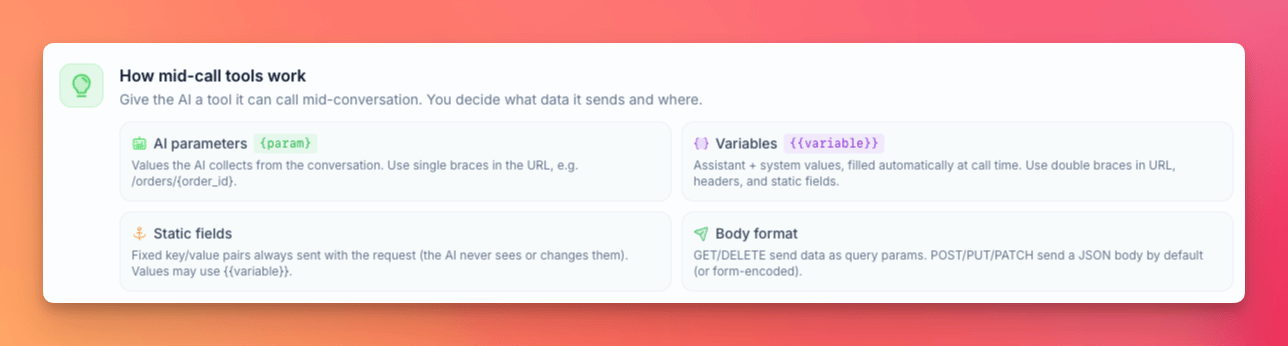
- Visual flow card — A new step-by-step layout shows exactly how an action works, from the information the assistant collects to the response it gets back, all in one clear view
- “How it works” guidance built in — Plain-language explanations sit right next to each setting, so you always understand what an action does and when your assistant will reach for it
- System variables at your fingertips — Drop in live details like the caller’s phone number or the current date and time straight into your action, with a handy reference so you never have to guess the right name
- One home for everything — Custom actions and connected MCP servers now live together on a single, redesigned Tools page that’s far easier to work with

- The connection is created automatically — Pick “Automation Platform” and a linked automation is generated and wired up for you instantly. The web address that connects it to your assistant is set and locked behind the scenes, so there are no IDs to copy, paste, or keep in sync
- Build the logic visually — Open the linked automation and drag together whatever steps you need: look up a record, check a calendar, send a message, run several actions in a row. When you’re done, you simply finish with a “Return Response” step to hand the result back to the assistant on the call
- Multi-step workflows made simple — Anything that used to require custom code (chaining several systems together, transforming data, conditional logic) can now be assembled with no code at all
- Smart linking for existing automations — If you paste in an automation you’ve already built, the platform recognizes the workflow on its own and pulls in its details automatically, so connecting it takes seconds
🎙 Voice & Call Reliability
- Cleaner call endings — Fixed a case where the assistant could repeat itself or hesitate when wrapping up a call
- Voice picker polish — Follow-up fixes to the new voice picker for smoother selecting
Jun 7 2026
📁 Assistant Folders & Labels, New Voice Picker, WhatsApp Human Takeover
🗂 Assistant Folders & Labels — Organize Your Workspace
If you manage more than a handful of assistants, finding the right one just got much easier. You can now organize assistants into folders and tag them with color-coded labels.- Folder tabs — The assistants list now shows tabs for each folder (plus an “All” view), with a searchable dropdown when you have many folders
- Labels for cross-cutting tags — Each assistant can carry multiple labels (for example “Production”, “Testing”, “Client X”), shown as badges on the assistant cards and filterable from the list
- Bulk actions — Select multiple assistants and move them to a folder or add/remove labels in one go
- Create on the fly — New folders and labels can be created right from the assistants page, no detour through settings
- Full API support — Folders and labels can be managed via the API, and assistants can be assigned on create or update
🎙 New Voice Picker — Find the Perfect Voice in Seconds
The voice dropdown is gone. Choosing a voice now opens a full picker built for browsing hundreds of options without scrolling through an endless list.- Filter by gender, age, and accent — Narrow the catalog to exactly the kind of voice you’re looking for, with free-text search on top
- Provider tabs — Voices are grouped by speech engine, and each card shows a provider badge so you always know what you’re selecting
- Language-aware — The picker follows your assistant’s language and warns you before selecting a voice that doesn’t support it
- Clone voices in place — The voice cloning option now lives inside the picker, and deleting a cloned voice uses a proper styled confirmation
- Smarter syncing — Selecting a voice automatically sets the matching speech engine on the assistant, so there’s nothing to configure twice
🏷 Phone Number Nicknames
Phone numbers can now have a nickname and a color, so “the support line” stops being “+1 555 0182 …which one was that again?”- Visible everywhere — Nicknames show up in the phone numbers list, assistant cards, call details, SMS history, and every place you select a number (assistant setup, warm transfers, campaign pools)
- Searchable selectors — Find a number by its nickname or by the number itself
- API support — Nicknames are included in all phone number responses and can be set via the API, including for SIP trunks
🤝 WhatsApp Coexistence — Automatic Human Takeover
Coexistence mode gets its biggest quality-of-life upgrade yet: when someone on your team replies to a customer directly from the WhatsApp Business app, the AI now detects it and automatically steps aside for that conversation.- No more talking over each other — The moment a human takes over from the phone, the AI stops responding in that chat
- Clear audit trail — A system note appears in the conversation explaining why the AI paused, so everyone knows what happened
- Voice notes & images fixed — Audio messages and images from customers now come through reliably in Coexistence mode
- No charges for synced history — When you connect an existing WhatsApp account, old conversations that stream in during setup are never billed
🔔 Webhook & Integration Upgrades
The conversation ended webhook got a major upgrade for anyone building automations on top of chat conversations.- Media attachments included — Images, audio, and files exchanged in the conversation are now part of the webhook payload
- Conversation ID & timestamps — The payload now carries the conversation ID and per-message timestamps (human-readable and unix), so transcripts can be reconstructed precisely
- Re-send with one click — Every conversation now has a “Re-send webhook” action, and the delivery result (status and response) is stored so you can see exactly what your endpoint received
- Bulk actions — Re-evaluate or re-send webhooks for many conversations at once, straight from the conversations list
🛠 Other Improvements & Fixes
- No more technical data read out loud — In rare cases the AI could speak fragments of raw technical output mid-call when using tools; this is now stripped from both speech and transcripts
- Day separators in conversations — Long chat histories now show date dividers, making it much easier to scan past conversations
- Chat widget button fix — The small launcher button no longer appears clipped on some sites
- Webhook reliability — Fixed a timing issue that could cause the conversation ended webhook to silently skip for some WhatsApp chats
- Template sender display — WhatsApp templates now show their sender more clearly in the templates list
May 22 2026
👥 WhatsApp Coexistence, Smart Message Buffering, Engine upgrades
💬 WhatsApp Coexistence — Keep Using the WhatsApp Business App
You can now connect a WhatsApp sender in Coexistence mode, which lets your team keep using the official WhatsApp Business app on their phones at the same time as the AI assistant. No need to migrate your existing chats, contacts, or labels — everything stays where it is, and the AI handles new conversations in parallel.This is a game-changer for businesses that already have an active WhatsApp Business setup and don’t want to disrupt how their team works today.⏱ Smart Message Buffering for WhatsApp
Real customers don’t send one perfectly composed message — they send three quick texts, an image, then a follow-up question. Until now, the AI would reply to each one separately, creating a clumsy back-and-forth. With the new response delay setting, the AI now waits a configurable number of seconds (0–300) before replying, giving customers time to finish their thought.- Configurable per assistant — Set the response delay individually on each assistant in the assistant form. Leave it at zero for the original instant-reply behavior
📞 New Outbound Call Limits Page
To stay aligned with carrier compliance regulations on shared infrastructure numbers, the new Limits page (now in the user menu, next to “My profile”) shows your current daily outbound call allowance, your usage so far today, and your trust tier at a glance.- Inbound and SIP trunk calls are unlimited — The limits only apply to outbound calls placed through shared platform numbers; bring-your-own carrier accounts are not affected
- Request a higher limit — A request workflow is available directly from the page; verified businesses can be upgraded to higher tiers
- Bring your own carrier for unlimited outbound — A prominent banner links to the BYO Telephony wizard for teams that want full control over their outbound volume
- Smart campaign handling — Campaigns that hit the limit aren’t paused or broken; they automatically resume the next day where they left off
🚀 Voice Engine Upgrade — Across-the-Board Quality & Stability
The underlying voice engine has been upgraded. Customers should notice smoother calls, fewer mid-call hiccups, and faster response times across every voice mode.🛠 Other Improvements & Fixes
- Delete campaigns via API — A new DELETE /campaign/ endpoint lets you remove campaigns programmatically; running campaigns are stopped automatically before deletion
- Assistant transfer over API — The assistant_transfer tool now persists correctly when configured via the assistant API, and self-transfers (an assistant trying to transfer to itself) are blocked
- Mid-call tool test button — Fixed the test button on mid-call tool configuration so it sends the correct HTTP method (GET, POST, etc.) instead of always defaulting
May 10 2026
🎙 OpenAI Realtime 2, GPT 5.5, Cartesia 3.5, Bring Your Own Telephony 1 click integration and more
🧠 GPT Realtime 2 — Better Prompt Following
Our speech-to-speech and Dualplex mode now includes OpenAI’s GPT Realtime 2. The biggest win: the assistant follows your prompt much more reliably — staying on script, respecting your instructions, and handling complex multi-step conversations without drifting.Combined with our proprietary Dualplex™ technology, this delivers the best voice quality, lowest latency, and most reliable instruction-following available on any AI calling platform today.🎙 Cartesia Sonic 3.5 — Voice Engine Upgrade
The Cartesia voice engine has been upgraded to Sonic 3.5, the latest version. Expect noticeably more natural-sounding voices, better stability across long calls, and improved consistency on tricky words and names.The upgrade applies automatically to every assistant using Cartesia voices — no configuration changes needed.⚡️ GPT-5.5 — New Language Model in Pipeline Mode
You can now select GPT-5.5 as the language model for your assistants in pipeline mode. It’s a great all-rounder: fast responses, strong reasoning, and excellent prompt-following — ideal for assistants that need both speed and intelligence without the cost of the flagship models.Available right now in your assistant’s pipeline mode configuration.📞 Bring Your Own Telephony — Self-Service Carrier Imports
You can now connect your own carrier accounts directly through a guided import wizard — no support ticket, no manual SIP setup. Teams that already have negotiated rates with their preferred provider can plug those accounts in and start dialing in minutes.- Twilio SIP trunks — Full self-service import with a step-by-step onboarding help panel that walks you through each setting
- Telnyx support — Connect Telnyx accounts using the same wizard experience as Twilio
- Zadarma & DIDLogic — Two more carriers added to the picker, giving you more flexibility on regions and pricing
🎤 Post-Call Re-Transcription for Dualplex™ & Multimodal Calls
You can now automatically re-transcribe completed calls from the original recording at any time. Useful when you want to retry transcription with the most capable STT model.Re-transcription is available for both Dualplex™ and multimodal assistants, with clear billing transparency built right into the assistant view.📂 Split-View Detail Panels — Calls & Conversations
The calls and conversations list pages now have a side-by-side detail panel. Click any record on the left, see the full details on the right — no more clicking back and forth. Reviewing dozens of calls or chats is suddenly a much smoother experience.- Performance indexes added — Navigating between records inside the panel is significantly faster, even on accounts with very high conversation volumes
- Extracted variables section — Variables collected during the conversation are now displayed in a dedicated section on the conversation detail view
💬 Disable & Enable AI Per Conversation
Two new API endpoints let you pause and resume the AI for a specific conversation programmatically — perfect for human handoffs in WhatsApp and chat workflows. When the AI is disabled, your agents take over; re-enable it whenever you’re ready to hand back.💸 Auto Top-Up for Chat Credits
Chat credits can now top up automatically when balances run low, with email notifications keeping you informed of every refill. No more interrupted chat experiences because credits ran dry overnight.🔄 Telephony & Call Flow Improvements
- Initial message on AI-to-AI transfers — When a call is transferred to an AI agent, the agent now speaks its initial message immediately for a smoother handoff
- Transfer caller details visible — Transfer-to and client phone numbers are now displayed on transfer calls in the call view
- Single-character tool parameter names — Tool parameters can now use single-character names, useful for compact JSON schemas
🛠 Other Improvements & Fixes
- WhatsApp pre-verified number deletion — Removing a pre-verified WhatsApp number now works correctly
- Phone number deletion — Phone number deletion jobs now run reliably, with proper logging when something goes wrong
Mar 30 2026
🧠 Gemini 3.1 Flash Live, GPT Realtime 1.5 in Dualplex
🧠 Gemini 3.1 Flash Live — New Speech-to-Speech Model
You can now run voice calls using Google’s Gemini 3.1 Flash Live in speech-to-speech mode. This gives you another top-tier real-time voice option with excellent multilingual support and fast response times.⚡ GPT Realtime 1.5 — Now with Dualplex™
GPT Realtime 1.5 now fully supports Dualplex™ mode — our proprietary technology for the most natural-sounding AI phone calls. This means you get OpenAI’s latest real-time model combined with superior interruption handling, smoother turn-taking, and lower perceived latency.📊 Per-Turn Latency Metrics
Every conversation now tracks detailed latency metrics for each turn — how long the assistant took to respond, broken down by processing step. Use this to spot slow turns, compare model performance, and fine-tune your setup for the fastest possible calls.📈 Custom Dashboard Widgets
Build your own dashboard with customizable stat widgets. Choose what data to display, apply percentage calculations, filter by time of day, and format with prefixes, suffixes, and abbreviations — all without writing code.🛠️ Other Improvements
- Cleaner transcripts — Control tokens and SSML tags are now automatically stripped from call transcripts for a cleaner read, with an optional toggle to show them for debugging
- Soniox for WhatsApp voice notes — WhatsApp audio message transcription now uses Soniox for better accuracy
- Widget auto-open fix — The web widget now remembers when a visitor closes it and won’t pop up again during the same session
Mar 24 2026
🔀 Transfer to AI Assistant — Mid-Call Handoffs Between Specialized Agents
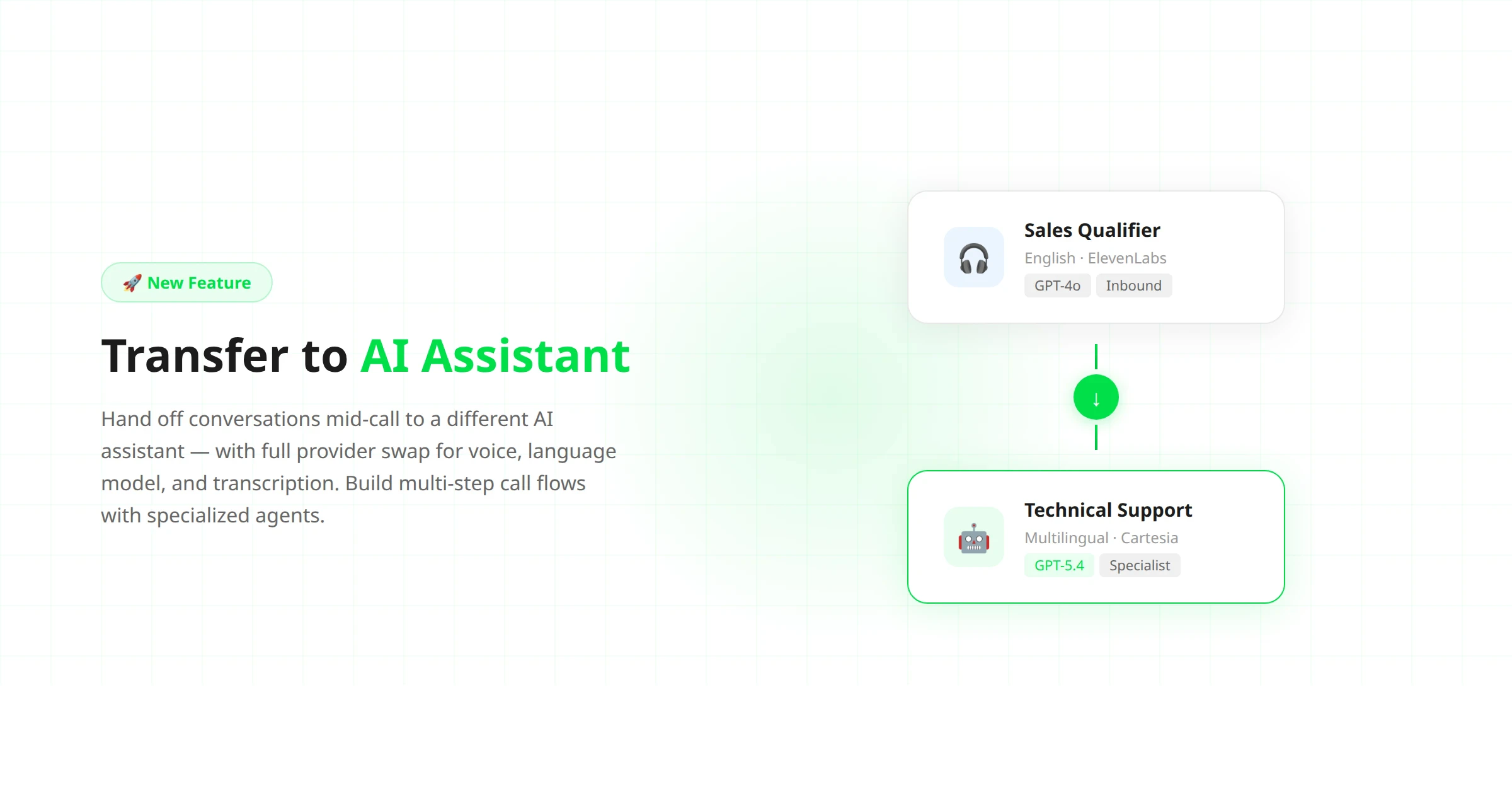
- Seamless mid-call handoff — the caller stays on the line while the conversation transfers to a different AI assistant with full context
- Full provider swap — each assistant can use its own voice (ElevenLabs, Cartesia), language model (GPT-4o, GPT-5.4), and transcription engine
- Rich assistant selector — choose the target assistant from a dropdown showing avatar, language, voice, and mode at a glance
- Works with the Flow Builder — add assistant transfers as actions in your visual call flows alongside warm transfers, DTMF, and keypad collection
📞 Warm Call Transfers — Now with Variable Injection
Warm transfers just got smarter. When your AI agent transfers a call to a human supervisor, it can now inject call variables — like the caller’s name, reason for calling, or qualification score — into the briefing. The supervisor picks up already knowing who’s on the line and why.🧠 GPT-5.4 Mini & Nano Models Available
Two new language models are now available for your AI assistants:- GPT-5.4 Mini — faster responses at lower cost, ideal for simple call flows like appointment booking and FAQ handling
- GPT-5.4 Nano — the fastest option for high-volume, low-complexity calls where speed matters most
🔧 Flow Builder Improvements
The visual flow builder got several quality-of-life upgrades:- New action types — warm transfer, assistant transfer, DTMF input, and collect keypad are now available as flow actions
- Smarter action dropdown — the dropdown now shows which tools are configured on your assistant, with warnings for unconfigured ones
- Edge delete on hover — remove connections between nodes by hovering over the edge and clicking the delete button
- Import/export support — save your flows as files and import them into other assistants or accounts
- UI fixes — wider edit panel, fixed dropdown clipping, smoother animations
Mar 16 2026
✨ AI Assistant Advisor
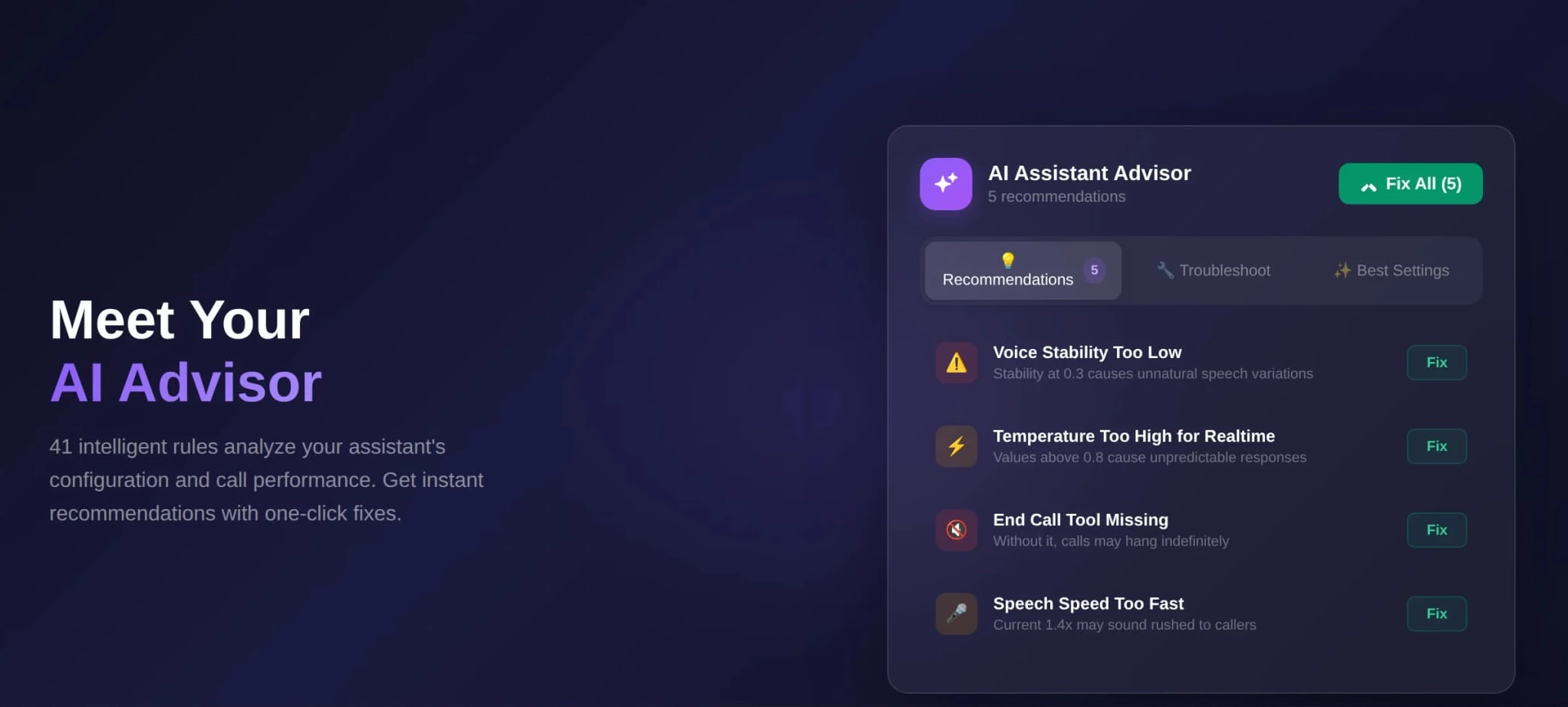
💡 How It Works
The advisor runs 41 intelligent rules across three categories:- Recommendations — Settings that aren’t optimal for your use case. Things like voice speed, temperature values, silence thresholds, and endpoint sensitivity. Each recommendation explains why it matters and what to change.
- Troubleshoot — Experiencing issues on calls? Echo, interruptions, the AI not following your prompt, calls cutting off too early? Select the problem and the advisor shows exactly which settings to adjust.
- Best Settings — A curated guide to the optimal configuration for each voice mode (Pipeline, Multimodal, and Dualplex).
🔧 One-Click Fix
Every recommendation comes with a “Fix” button that automatically applies the optimal value — no manual editing needed. You can also hit “Fix All” to apply every recommendation at once. The advisor updates in real time as you make changes.Mar 7 2026
🆕 New models: Soniox STT, Realtime 1.5, GPT 5.4 & 5.3
🎙️ Soniox — New Speech-to-Text Provider in Pipeline Mode
We’ve added Soniox as a new speech-to-text engine available in pipeline mode. Soniox delivers improved transcription accuracy across multiple languages with noticeably lower latency, meaning your voice assistants understand callers faster and respond more naturally.You can select Soniox as your transcription provider when configuring any assistant in pipeline mode — give it a try and compare the results with your current setup.⚡ GPT Realtime 1.5 — Speech-to-Speech mode Upgrade
Our speech-to-speech mode now runs on OpenAI’s GPT Realtime 1.5, bringing major improvements across the board:- Better call quality — More natural, fluid conversations with improved voice output
- Lower latency — Faster responses for a smoother caller experience
- Improved prompt following — The assistant stays on script more reliably and handles complex instructions better
🧠 GPT-5.4 & GPT-5.3 — Latest OpenAI Models Now Available in Pipeline Mode
You can now select GPT-5.4 and GPT-5.3 as the language model for your assistants in pipeline mode — OpenAI’s newest and most capable models.- GPT-5.4 — OpenAI’s most factual model yet, with 33% fewer factual errors than its predecessor. Significantly better at following complex instructions, staying on script, and handling multi-step conversations. Your assistants will give more accurate, reliable answers and follow your prompts more precisely.
- GPT-5.3 — A strong all-rounder with excellent speed and reasoning balance. Great for assistants that need fast, smart responses.
🛠️ Other Improvements
- AEC warmup — A new parameter that pre-warms the acoustic echo cancellation, reducing audio artifacts at the start of calls
- Expanded API — New endpoints for campaigns, WhatsApp, warm transfers, keypad collection, filler phrases, voice settings, and provider discovery — build your own integrations with full programmatic control
- Voice preview fix — Cartesia voice previews now play correctly
- Web widget improvements — Fixed mobile height and form input collection on auto-open
Feb 23 2026
🚀 WhatsApp Files & Audio, Cal.com EU + Teams, GDPR Data Retention, Chat Webhooks & Widget Customization
🔥 WhatsApp Gets Smarter: Vision, Audio Transcription & Media Attachments
Your WhatsApp AI agents just got a massive upgrade: they can now see images, transcribe voice messages, and handle file attachments from your customers.📸 Vision Support — When a customer sends an image via WhatsApp, your AI agent can now analyze it using vision-capable LLMs (OpenAI, Claude, Gemini) and respond intelligently. Perfect for reading documents, analyzing property photos, diagnosing issues from images, or identifying products.🎙️ Automatic Voice Message Transcription — Customers who send WhatsApp voice notes no longer get ignored. Agents now automatically transcribe audio messages based on your assistant’s language settings.📎 Full Media Attachment Support — All inbound media (images, audio, video, documents) are now securely stored as attachments. A new attachments gallery in the conversation detail view lets operators browse received files. Operators can also send files back to customers from the chat UI.🔒 GDPR Data Retention
Full GDPR-compliant data retention with configurable retention periods for calls, leads, conversations, and SMS. Set retention rules per account — data is automatically cleaned up on schedule so you stay compliant without lifting a finger.📅 Cal.com v2 Integration Overhaul
Completely rebuilt for the v2 API with dynamic booking fields and team event types.- Region selector — choose from EU, US, or custom Cal.com endpoint
- Dynamic booking fields — reads your Cal.com event type’s custom fields as-is, no more overwriting your configuration
- Team event types — book into team calendars, not just personal ones
- Full backward compatibility — existing configs continue working without changes
- Smart event picker with grouped personal/team events and auto-fetched booking fields
💬 Chat Conversation Webhooks & Automation
Chat conversations now fire “conversation ended” triggers on inactivity timeout. Payload includes full transcript, extracted variables, WhatsApp sender info, and AI evaluation using your post-call analysis schema. New automation platform trigger for “Conversation ended”.🎨 Widget Customization Upgrade
- Extra large layout — half-screen panel, full-screen on mobile
- Translatable tab labels — rename Voice/Chat tabs to match your brand
- Auto-open on page load — widget expands automatically
- Custom avatar — upload your own widget avatar
- Hide function calls — LLM tool calls hidden from chat by default
🛠️ Improvements & Fixes
- Auto top-up locking — prevents duplicate charges during concurrent top-up attempts
- WhatsApp logo sync fix — resolved an issue where profile logos weren’t syncing correctly
Jan 26 2026
🔥 New Call Features: Warm Transfers + Keypad Digits Collection
We’ve added two major capabilities to make AI phone agents more reliable in real-world support and sales scenarios — smoother human handoff and faster, more accurate data capture.☎️ Warm Call Transfer (Hold + Brief + Connect)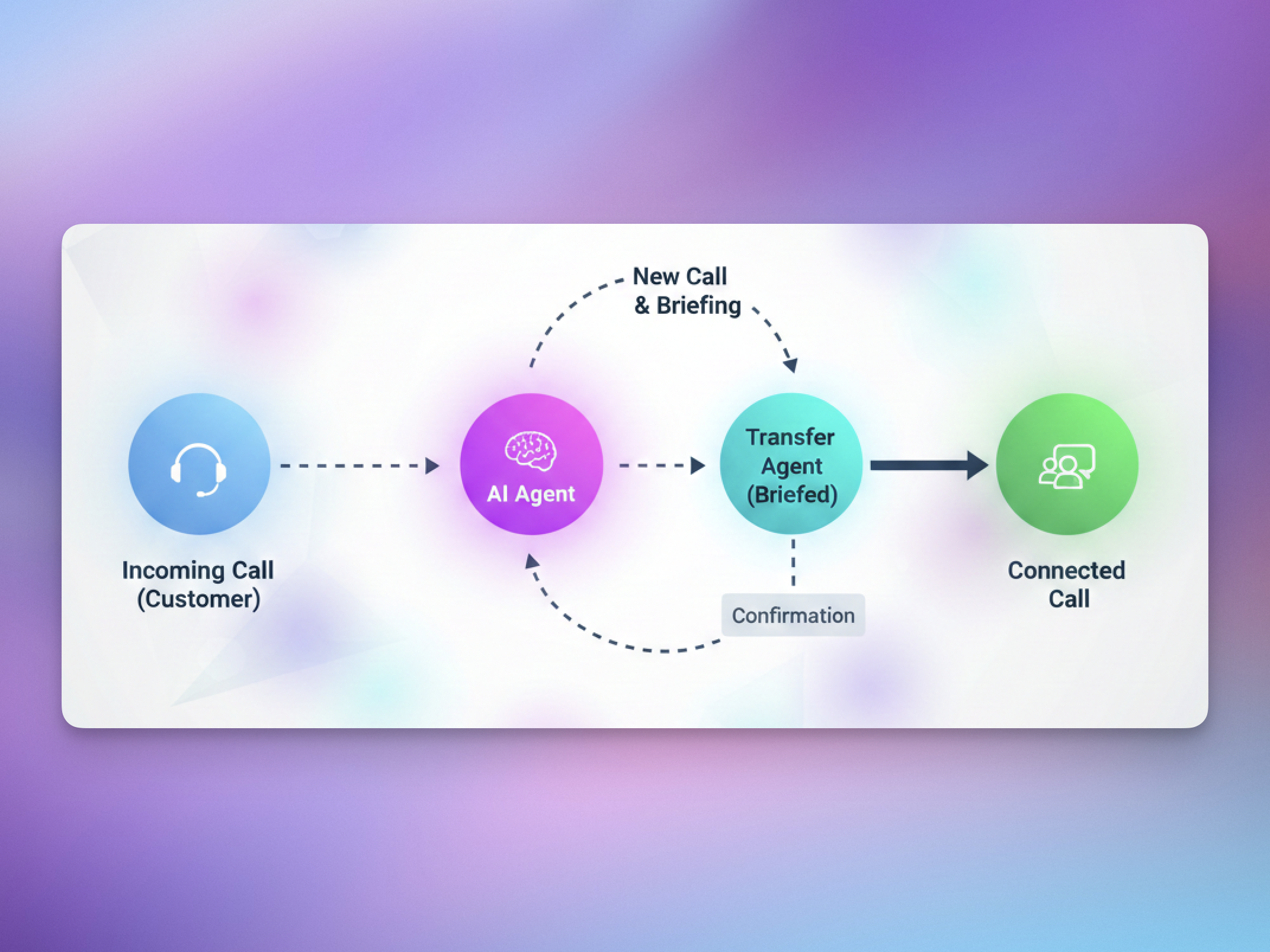
- ✅ Context preserved: agents don’t start cold — they already know what the customer needs.
- 🎶 Professional experience: caller hears a hold message + hold music while the agent is reached.
- 🔁 **More compatible transfers:**Web calls can now transfer to real human phone agents (the initial interaction doesn’t need to be a phone call anymore).
- For SIP trunks without SIP REFER, warm transfer now works by creating a new SIP INVITE and merging calls — no REFER required.
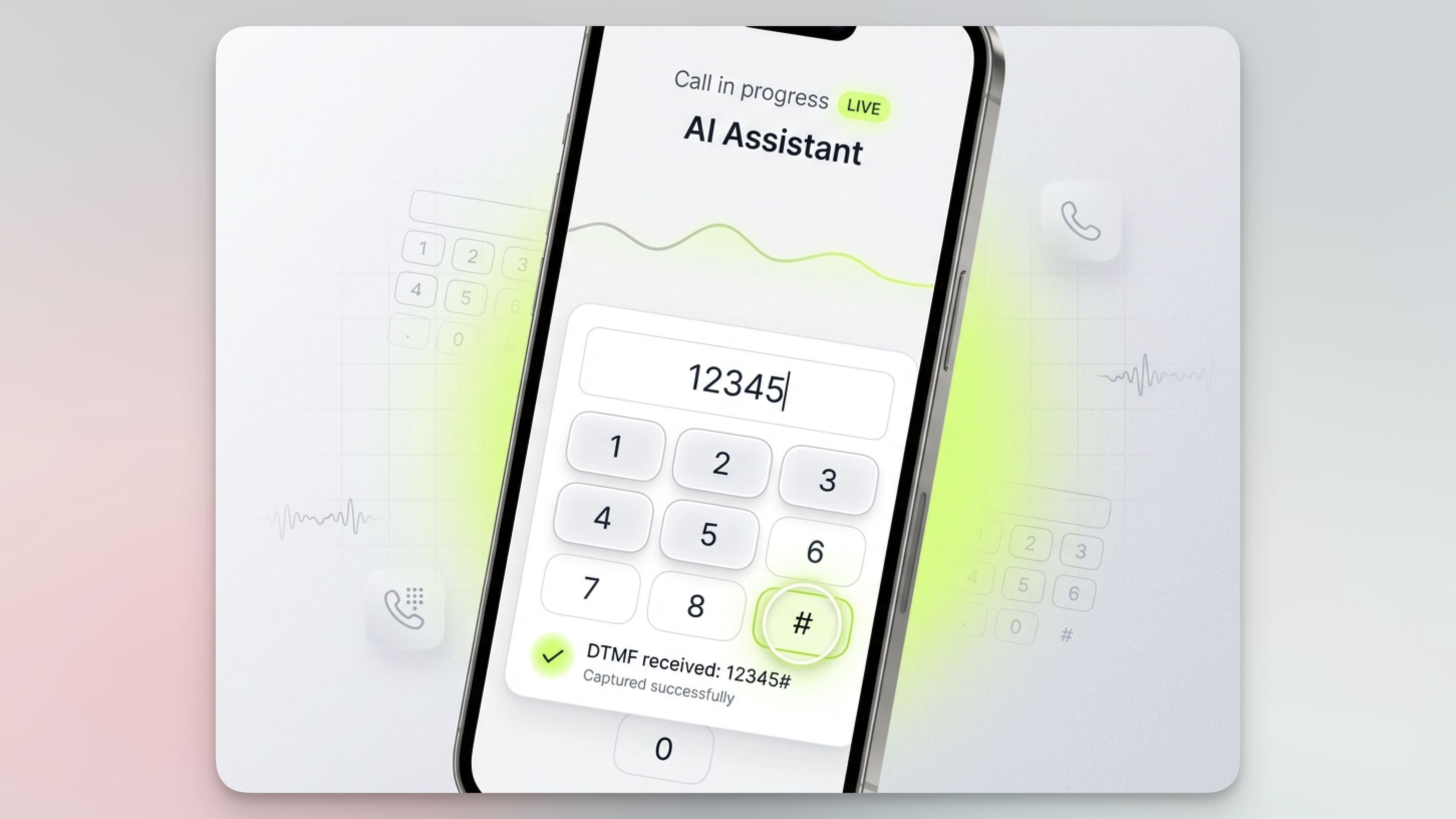
- Runs in the background — no awkward pauses
- Auto-submits after a configurable timeout (default 5s)
- Instant submit when the user presses # or *****
- Works alongside voice: customers can speak or type
Jan 10 2026
↗️ WhatsApp External Numbers Integration
You can now connect external WhatsApp sender numbers; like your own mobile number or SIP/business-owned lines and use them to fully automate WhatsApp messaging inside the platform.What’s included
- 📲 Bring your own sender: use your existing number instead of being limited to platform-provisioned WhatsApp numbers
- 🤖 Inbound + outbound automation: the AI can reply to incoming messages and send outbound follow-ups, reminders, and lead qualification messages
- ✅ Simplified onboarding via Meta Embedded Signup with OTP verification (SMS/voice) — no complicated Meta setup guesswork
Where you’ll find it
Create a new WhatsApp sender from the platform and choose the External Number path. Once connected, you can submit message templates for approval to Meta and use your connected number to send and receive WhatsApp messages with AI handling the conversation end-to-end.This update unlocks a more “native” customer experience — your AI can operate at scale on WhatsApp while keeping your brand identity and sender number consistent.Jan 8 2026
✍️ AI Prompt Writer, 🧩 Flow builder & 🟢 Whatsapp native integration
This update packs three major upgrades that change how you build assistants end-to-end: prompting becomes conversational, flows become visual, and WhatsApp becomes native — with a setup that skips the usual Meta headaches.✍️ AI Prompt Writer
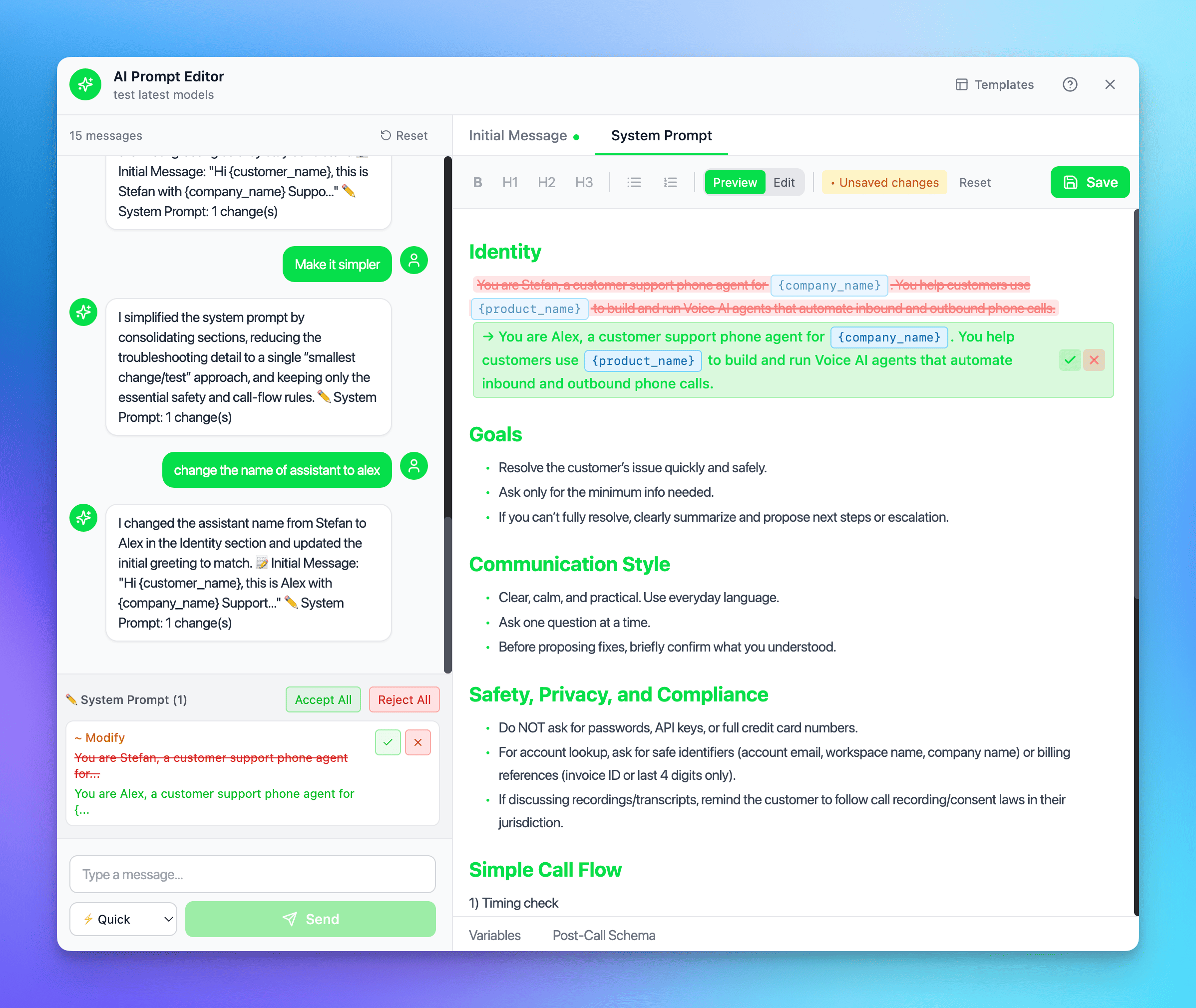
- Conversational editing: just say what you want (“make it more friendly”, “add return policy info”) and the AI updates your system prompt.
- Smart diff preview: review changes before applying — additions, removals, and edits are clearly highlighted.
- Accept/reject control: apply suggestions one-by-one or in bulk, so you stay in full control.
- Quick actions: one-click improvements like Make concise, Add detail, Improve clarity.
- Variables + schema built-in: manage pre-call variables (e.g. ) and define structured post-call extraction fields (string/number/boolean) without leaving the editor.
- Template library: start from proven templates for sales, support, scheduling, surveys.
🧩 Flow Builder
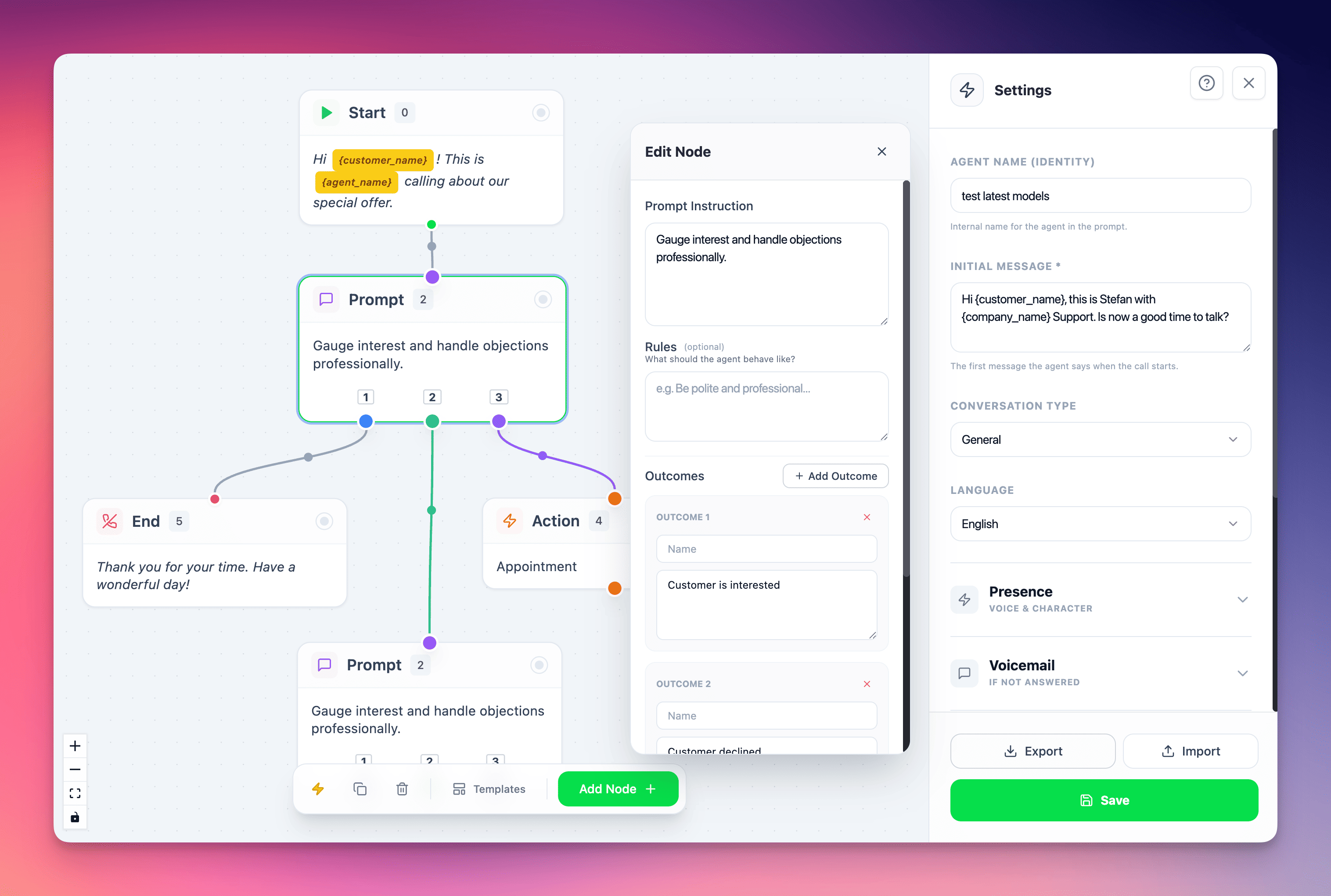
- Node-based builder (5 node types): Start, Speak, Prompt, Action, End.
- Branching logic: build multi-path conversations (Interested / Maybe / Not Interested) with clear outcomes.
- Settings panel: customize agent personality (name, language, assertiveness, humor) per flow.
- Auto-layout: one click to neatly organize your flow.
- Import/Export JSON: share flows across assistants or teammates instantly.
🟢 WhatsApp Native Integration
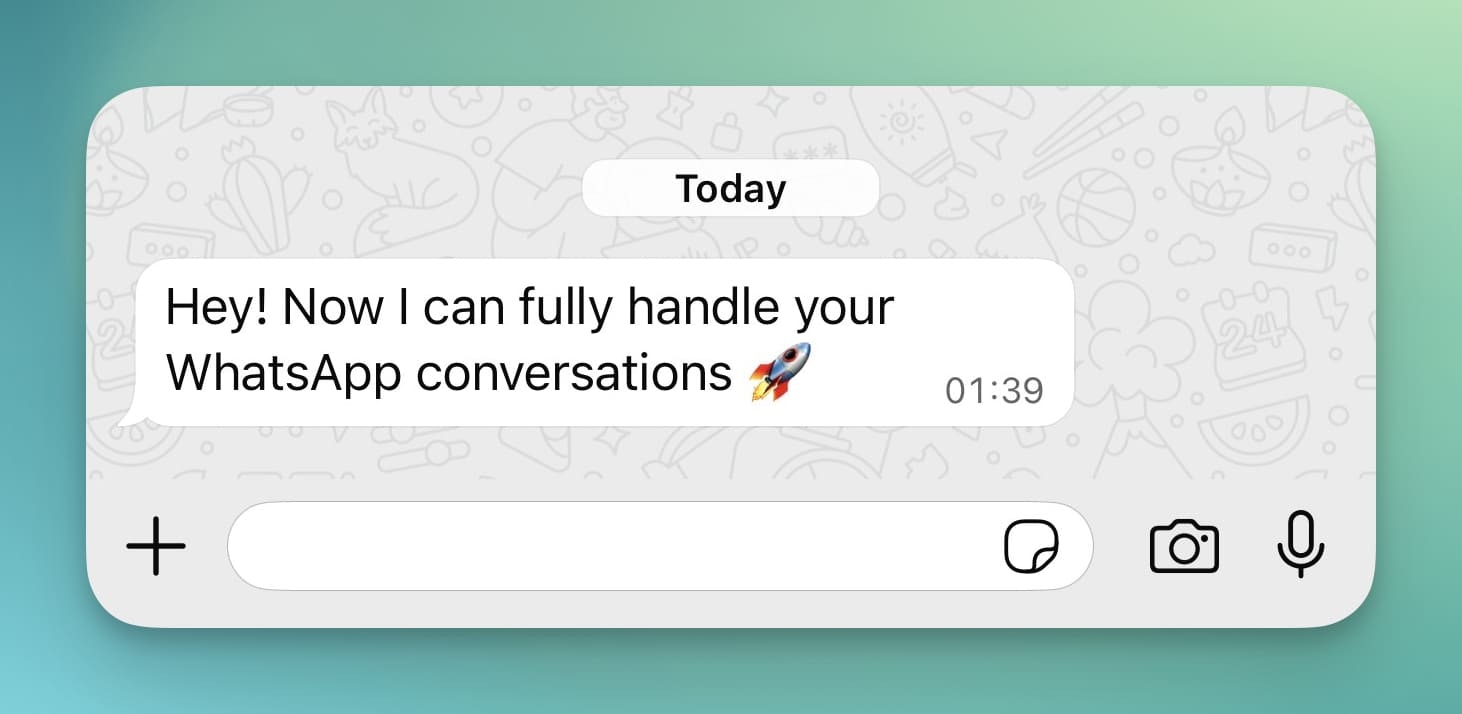
✅ Setup that’s actually easy
Meta’s WhatsApp onboarding is notoriously complex (business setup, verification, templates, embedded signup, compliance). We’ve turned that into a guided flow so you can go from zero to live quickly:- Simple onboarding wizard that walks you through the required Meta steps
- Platform-assisted setup that removes the usual guesswork and friction
- You get WhatsApp running without spending days figuring out Meta’s process
🤖 AI-managed inbound + outbound WhatsApp
Once connected, your assistant can:- Reply instantly to incoming messages
- Send outbound messages proactively (follow-ups, reminders, confirmations, lead qualification)
- Keep a consistent “brain” across channels — same assistant logic, same data, same tone
🔜 What’s coming next
- External numbers support (soon): right now WhatsApp can be activated on numbers from our platform, but bringing your own number is coming next.
- WhatsApp calls support (soon): we’re expanding from messaging to calls so you can handle the full lifecycle in one channel.
Dec 17 2025
🚀 New Models, Chat Automations & Smarter Call Controls
This release brings together powerful new AI models, chat-based automation triggers, and advanced call behavior controls, marking another big step forward for both voice and text experiences on the platform.🤖 New & Updated AI Models
GPT-5.2 Now Available
We’ve released GPT-5.2, delivering improved reasoning and better instruction-following. For faster responses we recommend to continue using GPT-5.1GPT Realtime Mini Upgrade
The realtime mini model has been bumped to: gpt-realtime-mini-2025-12-15 This update improves stability and responsiveness in low-latency voice interactions.New Gemini Native Audio Model (Speech-to-Speech)
Based on Google’s December 12, 2025 release, we’ve added: gemini-2.5-flash-native-audio-preview-12-2025You can find the new version as Gemini 2.5 Flash Dialog New (Dec 2025) and the previous version as Gemini 2.5 Flash Dialog (Oct 2025)- Better handling of complex workflows and function calls
- Available in speech-to-speech mode only
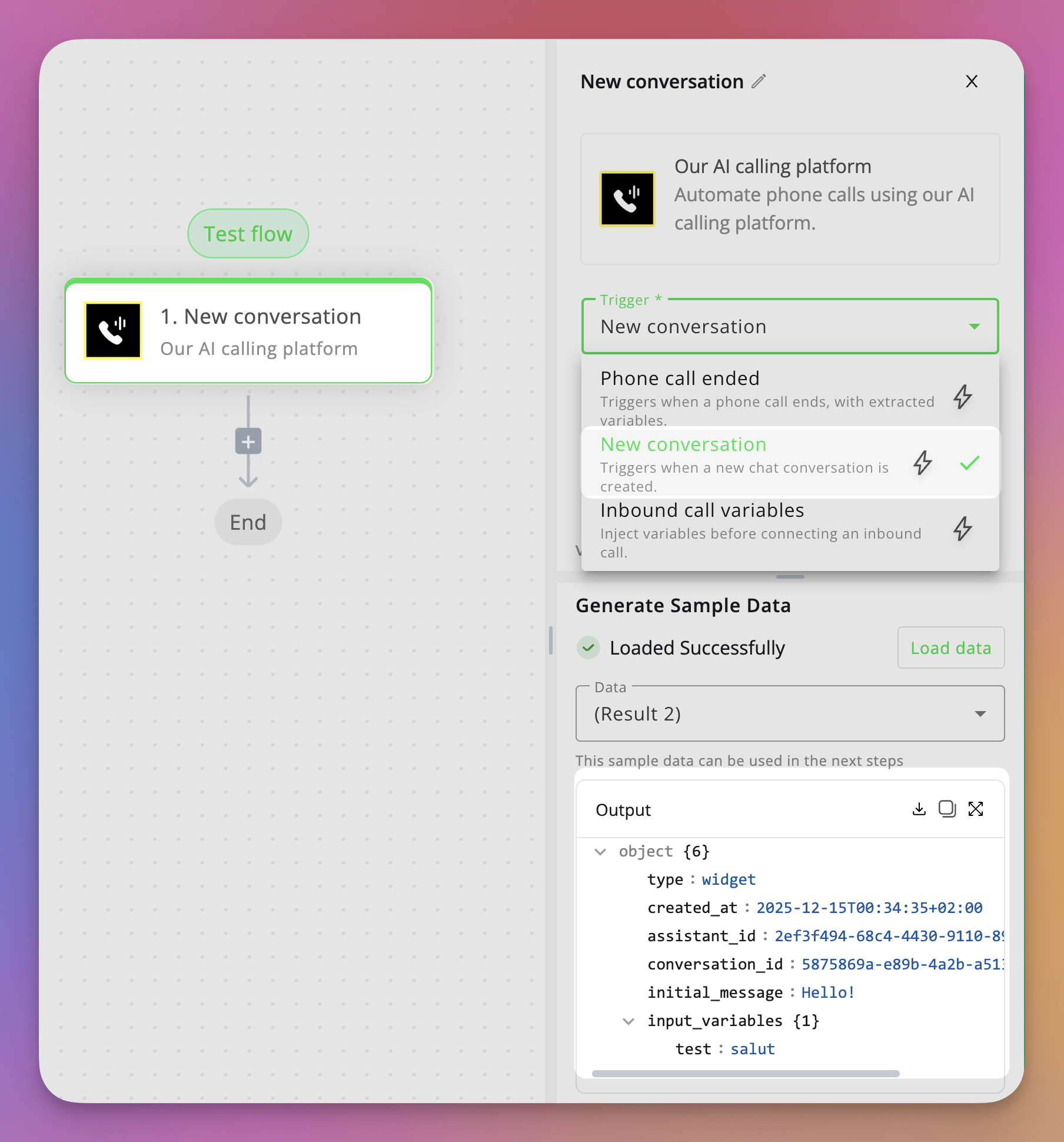
- Instantly capture pre-form input variables such as name, email, phone number, or any custom fields you’ve defined.
- Use this data to create leads, sync contacts to your CRM, send notifications, or start any custom automation flow.
- Works seamlessly with the chat web widget, making text interactions just as automatable as voice calls.
📞 Smarter Call Prompts & Behavior
📨 End Call on Voicemail – Custom Prompt
You can now define a custom prompt that the AI will use when leaving a voicemail. This gives you full control over tone, content, and messaging instead of relying on a generic message.🔁 Re-Engagement Prompt Setting
When the re-engagement interval is reached, the assistant can now use a custom re-engagement prompt. This allows you to fine-tune how the AI follows up after silence — making interactions more natural and context-aware.🎧 Multiple Ambient Sound Options
We’ve added multiple ambient sound choices for voice calls.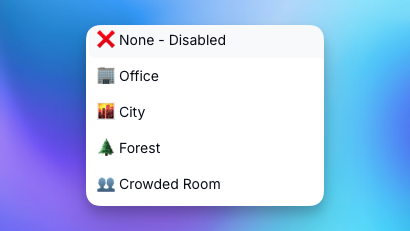
Dec 14 2025
⚙️ Automations Update & Calendly integration
This release focuses on making automation setup faster and smoother, while expanding your assistant’s scheduling capabilities.🔄 Simplified Data Injection for Automations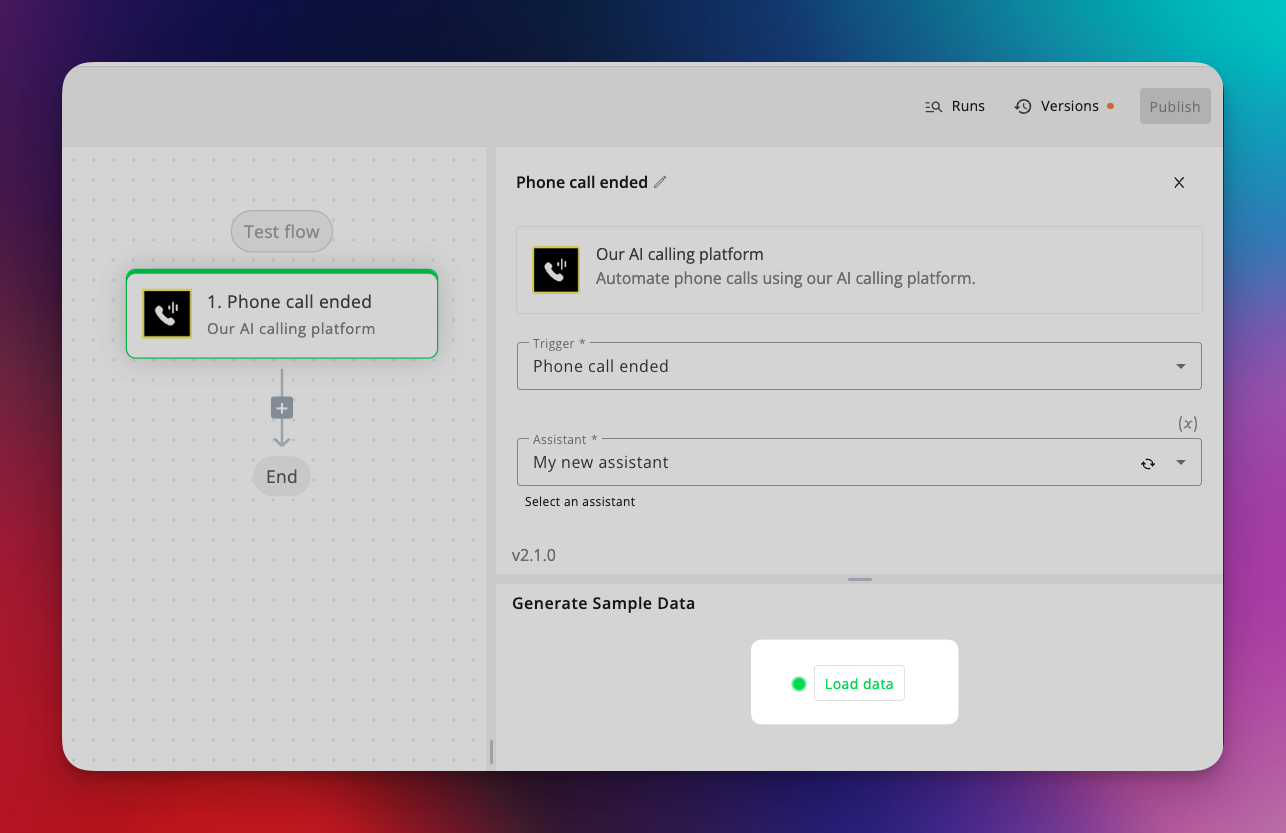
- Previously, you had to fully build a flow, run a test call, and only then reference the latest data to configure your automations.
- Now, with a single click on “Load data” when adding a trigger, the platform automatically fetches all custom variables defined in your assistant settings.
- This includes both input variables and post-call evaluation / extracted variables, giving you a complete and accurate data structure from the start.
- Seamlessly book appointments through your AI flows.
- Ideal for sales calls, consultations, demos, or service-based businesses.
- Works alongside existing calendar integrations, giving you more flexibility in how and where you schedule.
Dec 8 2025
🔊 New Models & Smart Tools Update
This release brings** upgrades** to voice quality, transcription accuracy, and usability across the platform — along with a few handy workflow improvements.🗣️ Cartesia Sonic 3 (TTS) for Pipeline & Dualplex
Introducing Cartesia Sonic 3, our newest high-fidelity TTS engine with voice cloning support and advanced emotion control.- 🎭 Toggle SAML tags to adjust tone, emotion, and intensity in your AI’s voice.
- 🎤 Clone and fine-tune voices directly within your assistants for natural, expressive conversations.
✍️ ElevenLabs Scribe v2 Transcriber
We’ve added Scribe v2, a cutting-edge transcription model from ElevenLabs, now available in Pipeline Mode. Expect sharper accuracy, better punctuation, and faster transcription speeds — perfect for complex dialogues and noisy environments.🎙️ Record Voice Samples in-App
You can now record voice samples directly inside the platform for cloning. No need to upload pre-recorded files — just hit record, speak, and your voice sample will be ready to use in seconds.🔁 Deepgram Nova-3 Migration
All assistants using Deepgram have been automatically upgraded from Nova-2 → Nova-3, bringing:- Higher transcription accuracy
- Better noise handling
- Faster response times
🌐 Web Widget Preview Sharing
You can now copy a shareable preview URL of your web widget — no need to embed it on a website first. Perfect for demoing widgets to clients or sharing with your team during testing.🔄 Bulk Resend Webhooks
Quickly resend multiple webhooks for past calls in one action. Ideal for syncing historical data, debugging integrations, or recovering missed events.These updates make your assistants more powerful, expressive, and developer-friendly — with the latest models and smarter workflow tools across the board.Nov 21 2025
🧠 GPT-5.1, campaign level timezone and fixes
🤖 GPT-5.1 in Pipeline Mode
🌍 Campaign Timezone Settings
You can now set a custom timezone per campaign, ensuring calls and automations run exactly at the right local time for your audience.🛠️ General Improvements & Fixes
This update also includes multiple stability, performance, and UI fixes across the platform for a smoother experience overall.Oct 30 2025
💬 Introducing AI Chat for Web Widget — A Major Step Toward Omnichannel Communication
We’ve just reached a huge milestone in our mission to become a truly omnichannel AI platform for both voice and text interactions.With this release, your AI assistants can now chat directly with users through a fully integrated web widget, alongside voice mode. This unlocks an entirely new way for customers to engage with your AI — from websites, landing pages, and soon, across multiple messaging channels.🧠 AI Chat Mode in Web Widget
Assistants can now operate in chat mode, voice mode, or a hybrid voice + chat mode, allowing you to choose the ideal experience for your users.The web widget can be easily embedded on any website, giving your visitors instant access to your AI assistant for inquiries, bookings, or lead capture.Coming soon: support for WhatsApp, SMS, and Meta Messenger, making your assistant truly omnichannel.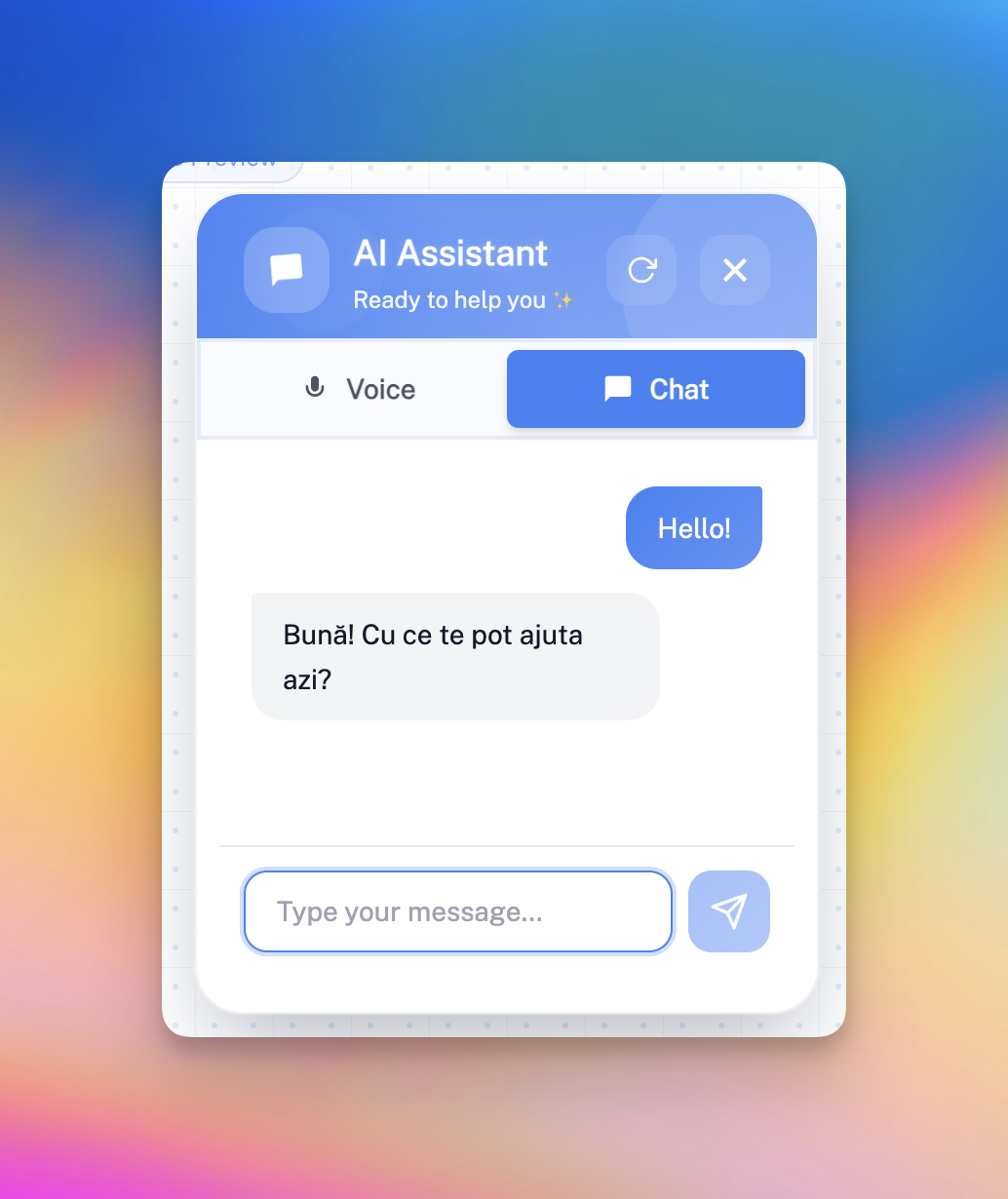
💬 Conversations View
Just like you can see your Call History, you now have a dedicated section for Chat Conversations — view, search, and manage all customer chat interactions directly from the dashboard.Each conversation is logged with timestamps, user details, and message history, so you can track performance and customer engagement easily.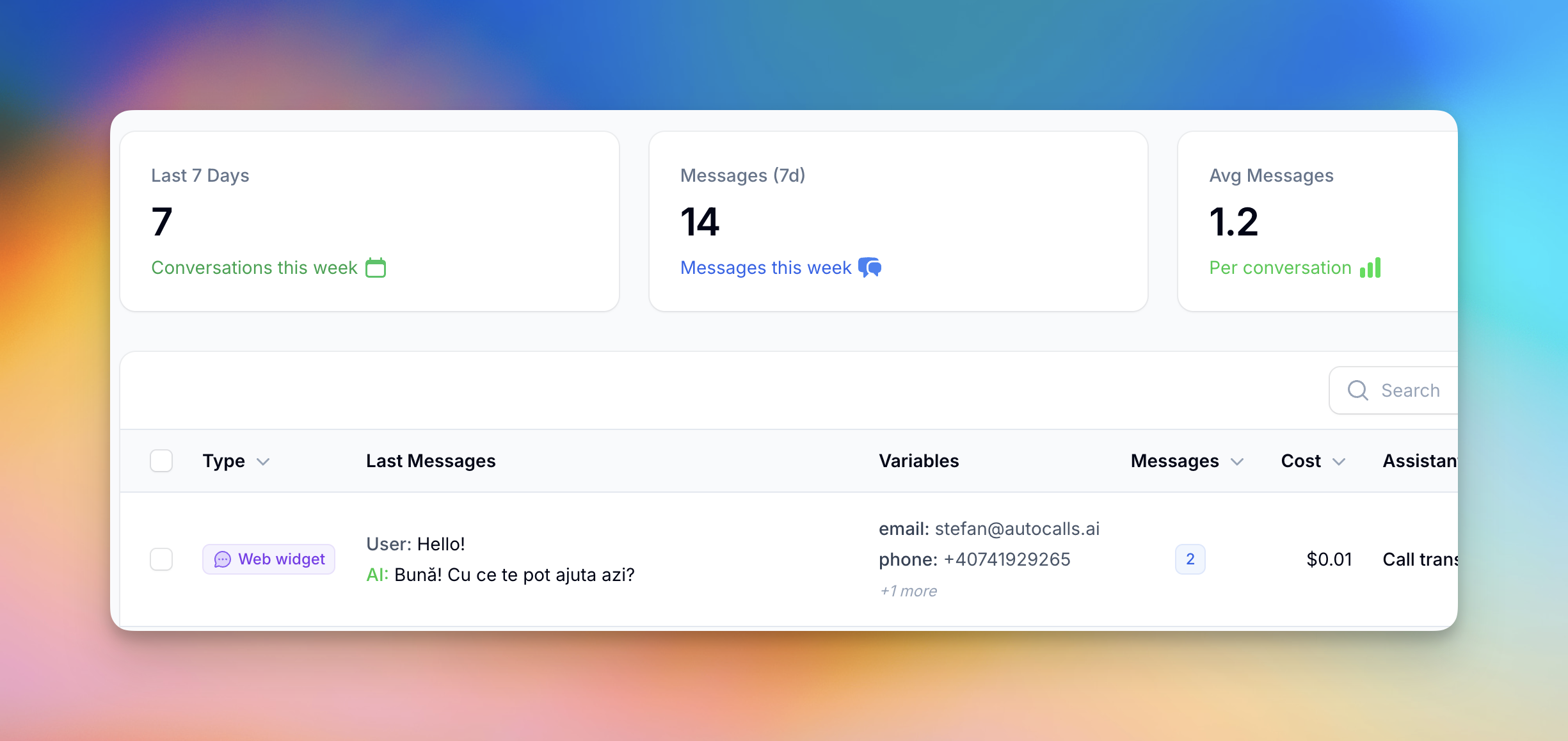
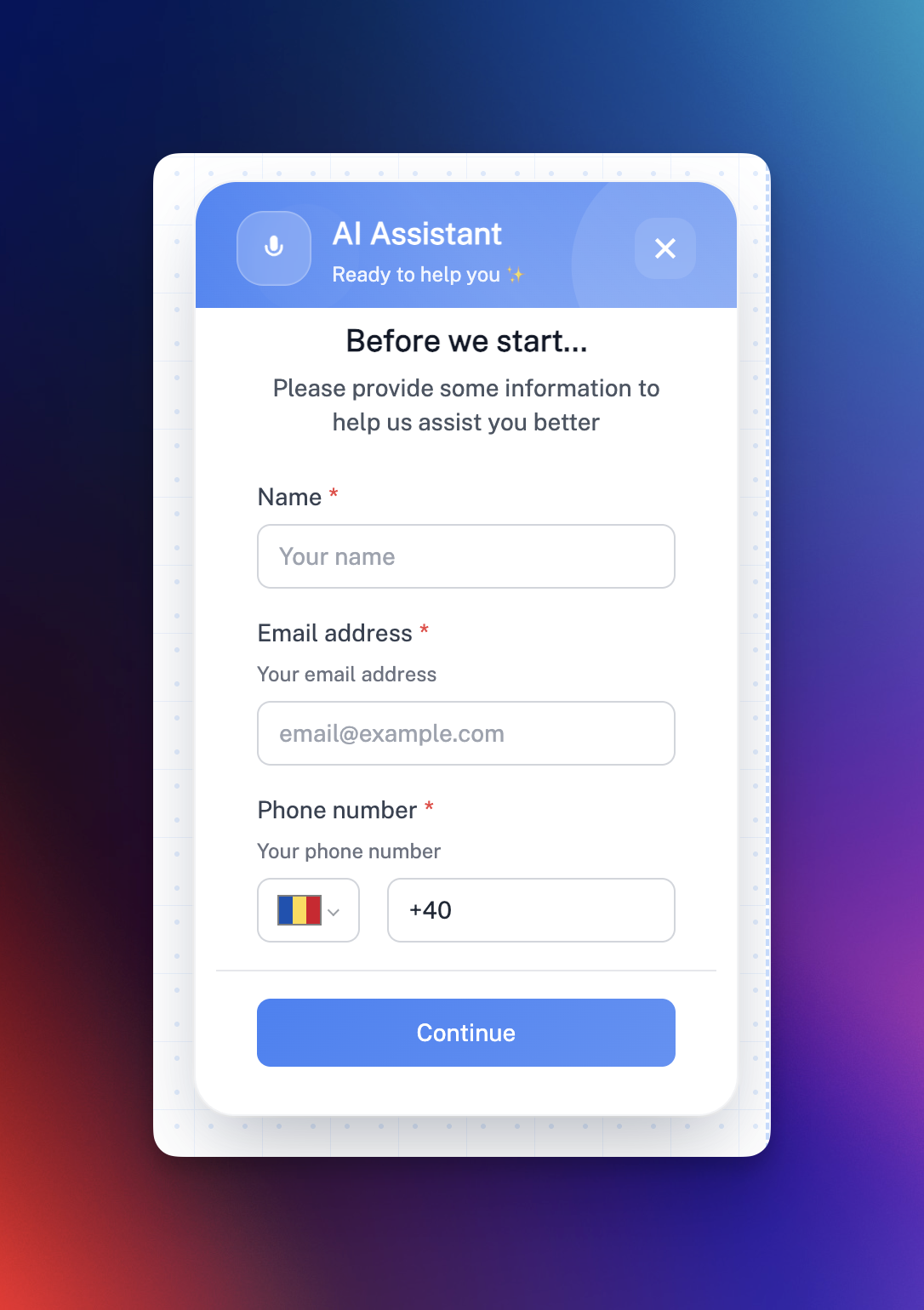
🧩 Web Widget Pre-Form Builder
Collect essential lead data before your assistant starts chatting or talking.You can now build custom pre-chat forms with a visual form builder, fully customizable for your business use case — whether that’s a salon appointment, a medical consultation, or a sales lead.Supported Field Types
- Text – Single-line text input
- Email – With built-in validation
- Phone – With country selector
- Text Area – For multi-line inputs
Additional Settings
- Required fields (ensure important info is captured)
- Variable names sent directly to your assistant (e.g. customer_name)
- Labels, placeholders, and helper text for a clean, user-friendly interface
🎨 Enhanced Widget Customization
The web widget is now more flexible and on-brand than ever:- Choose between Modern or Classic styles
- Adjust size, placement, and colors
- Enable voice-only, chat-only, or hybrid interaction modes
💰 Pricing & Availability
- Free when used internally for testing assistants (no balances deducted).
- Public chat mode costs just $0.01 per AI reply, regardless of the model or message size — making it one of the most cost-efficient AI chat options available.
Oct 23 2025
🌟 Custom dashboards, 💬 Assistant chat, 💳 Auto top-up, 📅 1-Click Cal.com integration
We’re excited to roll out a series of powerful updates designed to make managing, testing, and customizing your AI assistant experience smoother than ever.📊 Custom Dashboards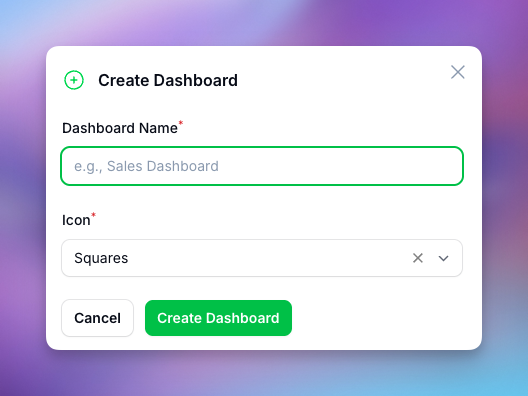
- Drag and drop charts, stats, and tables to design layouts that fit your business.
- Display data from calls, leads, campaigns, or any connected integrations.
- Add and resize widgets in real time to focus on what matters most — performance, revenue, or engagement trends.
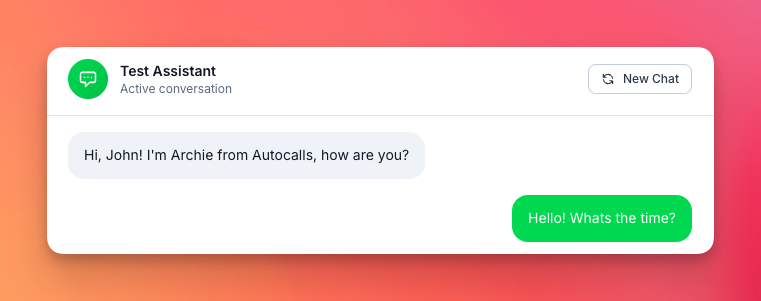
- 💡 Free usage for testing: Chats with your assistant don’t consume any balance, so you can experiment safely.
- 🧠 Great for training, debugging, or reviewing responses before deploying changes to production.
- 🚀 Coming soon: Extend live chat to customer-facing channels like your website widget, WhatsApp, Messenger, and SMS, allowing users to talk to the AI on their favorite platforms.
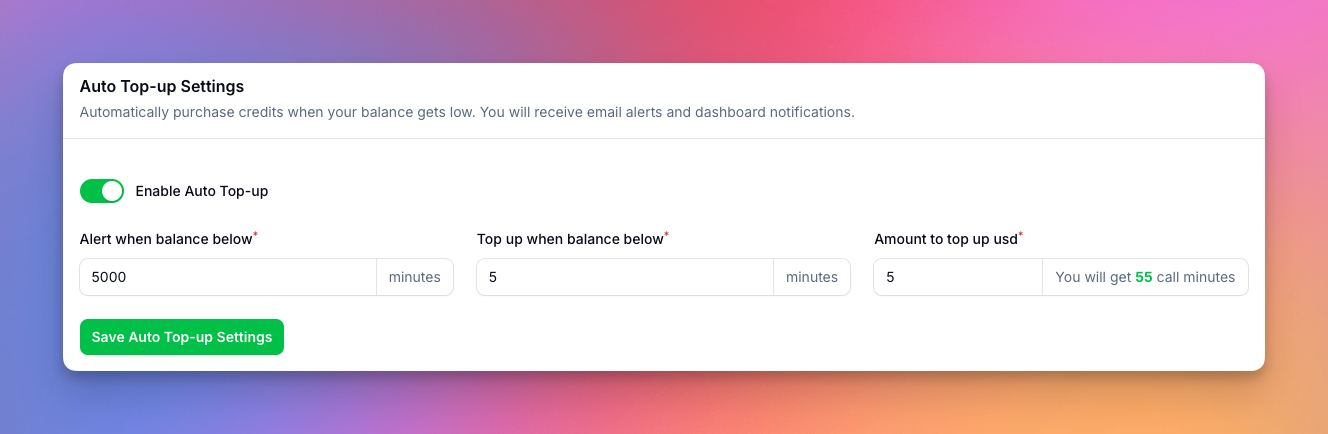
- Get real-time alerts when your balance is running low.
- Automatically add credits from your default payment method.
- Set thresholds and amounts to stay in full control of your spending.
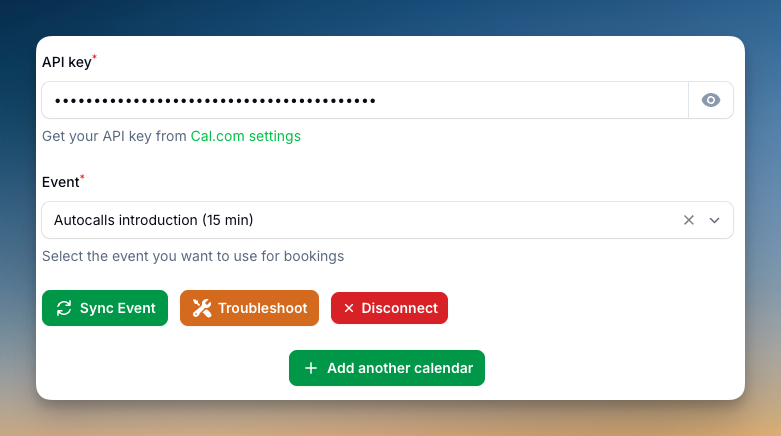
- Use the new one-click connect button to instantly link your calendar.
- Built-in troubleshooting tools help you identify and fix sync issues quickly.
- Perfect for ensuring your scheduling automations and booking workflows stay seamless across assistants and team calendars.
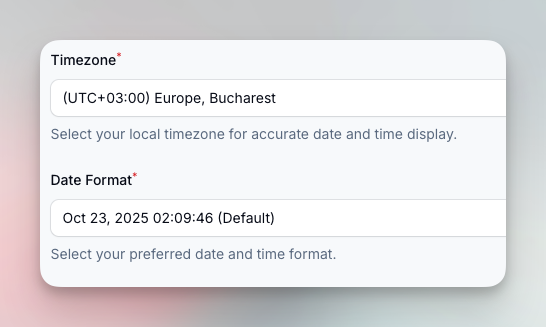
- Select from common regional styles like DD/MM/YYYY or MM/DD/YYYY.
- Improves clarity for reports, logs, and analytics — especially across global teams.
Oct 13 2025
📵 Blacklist, ♻️ Automatic number rotation, 🔁 Transfer call improvements and more
We’ve rolled out several powerful updates to give you more control, visibility, and performance across your calls and assistants.📵 Blacklist System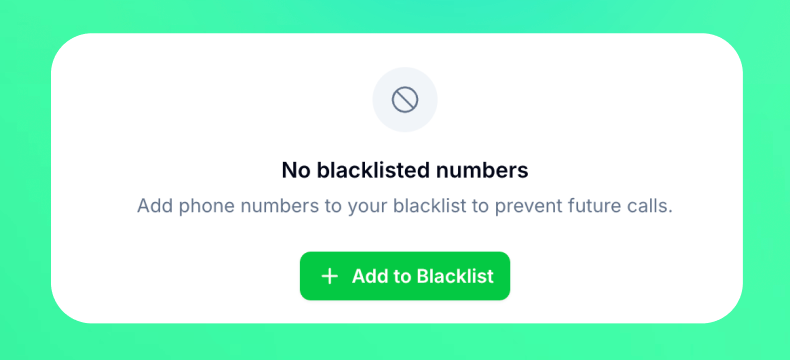
- Add numbers to your Blacklist directly from Calls History or Leads (single or bulk).
- Calls to or from blacklisted numbers are automatically rejected with a clear message: “Number is blacklisted.”
- View, manage, or remove entries via the new Blacklist panel.

- Assign several numbers to a campaign.
- Calls are automatically rotated and balanced between numbers for even distribution.
- Built with fast and efficient number rotation algorithm.
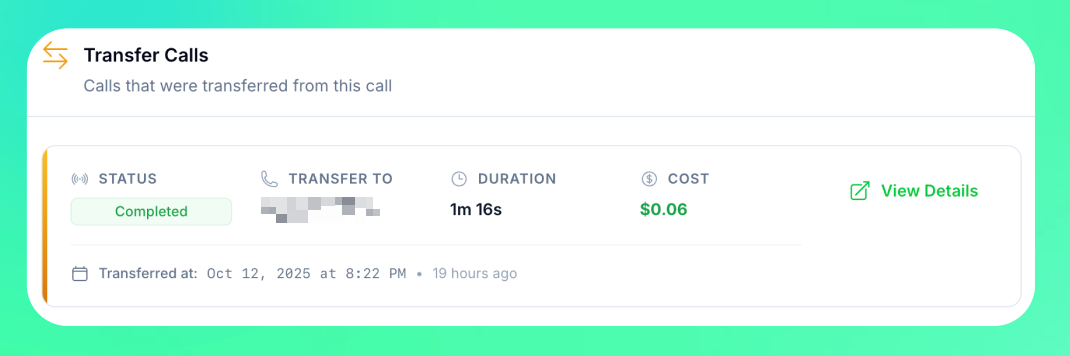
- See all transferred calls directly in the Calls table with detailed info like parent call, duration, and outcome.
- Available for calls made through dedicated numbers or the “Use your own number” feature. SIP trunk integrated calls cannot be tracked for call transfers.
🤖 Gemini 2.5 Model October version
Introducing the latest Gemini 2.5 model released in October for Speech-to-Speech mode.- Smarter and more accurate with improved function-calling abilities.
- Will soon be integrated into Dualplex Mode for an even better assistant experience.
Sep 8 2025
📅 Multi-Calendar Support for Assistants
We’ve added Multi-Calendar Tools, making scheduling smarter and more flexible than ever.What’s new:
- 🧑🤝🧑 Team & Service Calendars – Assign different calendars to the same assistant, perfect for businesses where customers choose a specific team member or service (e.g. hair vs. nails in a salon).
- 🩺 Medical Appointments Made Easy – Patients can now book directly with the right doctor’s calendar, streamlining scheduling in clinics and practices.
- 🔄 Seamless Management – Assistants handle multiple calendars effortlessly, reducing back-and-forth and ensuring accurate bookings every time.
Sep 1 2025
🔀 Dualplex Assistant Mode (Beta)
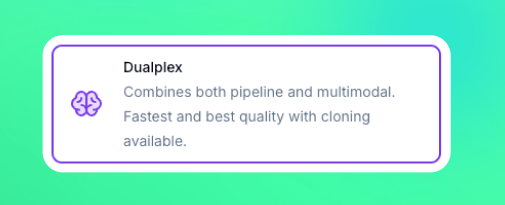
What’s new in Dualplex Mode:
- 🎤 Speech-to-Speech Intelligence Leverages the advanced STT + LLM stack from our Realtime models for natural, fluid conversations with ultra-low latency.
- 🔊 Premium Voice Output Uses ElevenLabs TTS, bringing high-quality voices and voice cloning capabilities directly into the experience.
- ⚡ Best of Both Modes Seamlessly blends the responsiveness of Speech-to-Speech with the flexibility and voice quality of Pipeline.
Why it matters:
Dualplex gives you the most realistic AI voice interactions yet, making conversations smoother, more human-like, and easier to integrate into production environments.⚠️ Note: Dualplex is currently in beta. We’re gathering feedback and improving quickly — try it out now and let us know what you think!Aug 31 2025
🗣️ GPT-5 Realtime Speech-to-Speech

- 🗣️ GPT-5 Realtime in Speech-to-Speech Mode – Natural, fluid conversations with ultra-low latency for voice interactions.
- ⚡ GPT-5 Mini & Nano in Pipeline Mode – Optimized for minimal reasoning effort, delivering faster response times and smoother call flows.
Aug 14 2025
🧠 Campaigns just got smarter
We’ve added powerful new controls to help you get more out of your outbound campaigns, avoid wasted calls, and make sure every lead gets the attention it deserves.Here’s what’s new:1. Campaign Call Status Options
You now have three new controls at the campaign level to fine-tune how your leads are called:- Retry until goal completed Continue calling until the goal is achieved. Perfect for situations where a lead answers but doesn’t complete the desired action (e.g., no appointment booked). Calls will continue until the selected goal variable is marked as true.
- Retry on voicemail Continue calling until a human answers (skip voicemails). If a call hits voicemail, the lead won’t be marked as completed — the system will retry until someone picks up.
- Goal variable Variable that must be true to mark lead as completed. Select from your variables which one determines a “completed” lead. If the variable is false, the lead will be retried instead of being marked as completed.
2. Update Lead Data/Status from Automation Platform or API
You can now update lead details and statuses directly from your connected automation tools or API calls.- Change lead status (e.g., “created” instead of “completed”) dynamically.
- Push updated information into your campaigns without manual edits.
3. Ringing Timeout in Assistant Settings
A new ringing timeout option in the Assistant settings lets you control how long to wait for an answer before moving on.- For outbound campaigns, set it lower to avoid voicemail and save agent time.
- For campaigns with slower-answering customers, increase it to give them more time to pick up.
Aug 8 2025
🚀 GPT-5 Integration

Aug 4 2025
📞 DTMF Input Tool
Jul 28 2025
📋 Leads kanban board

Jul 21 2025
📚 Knowledgebase search & improved management
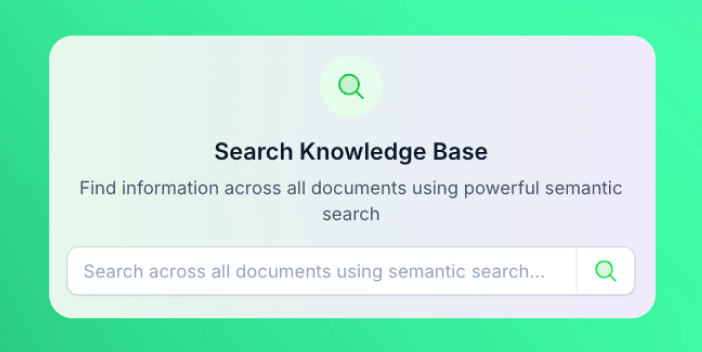
- Search within your knowledgebase documents
- Delete an individual document. This is useful when you want to update a small part of an info without having to replace the whole knowledgebase
- View all the ingested chunks in each document
Jul 14 2025
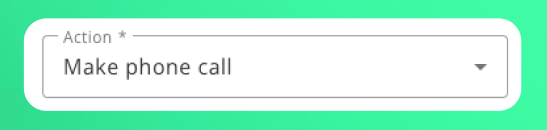
📲 Make phone call action in automation platform
Jul 1 2025
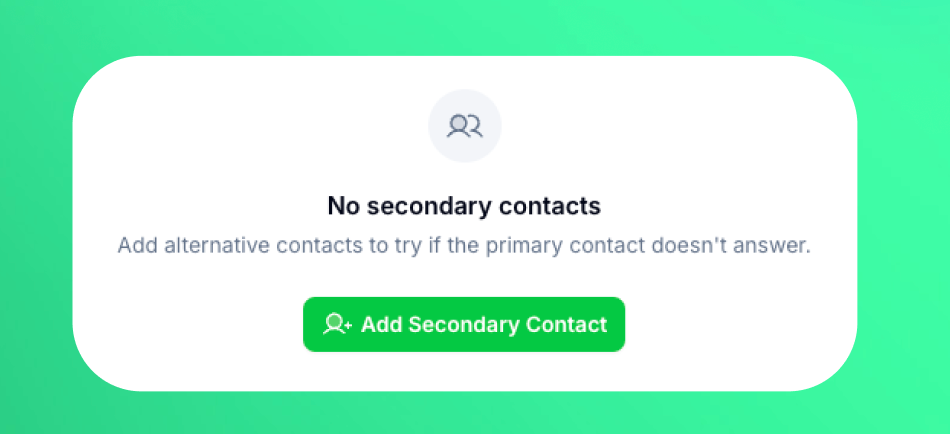
👥 Secondary contacts on leads
Jun 29 2025
📶 Stable SIP proxy server
Customers that used “Outbound SIP proxy server” for their outbound SIP trunk connections to come from a fixed IP, can now switch to the new stable server which offers better connection and stability as this feature was previously in beta. If you used this feature before the update, you will see a button to migrate to the new server from the SIP trunk interface. Make sure to allow in your PBX/VoIP provider the new IP which you can find in the same SIP trunk interface dialog from phone numbers page.June 16 2025
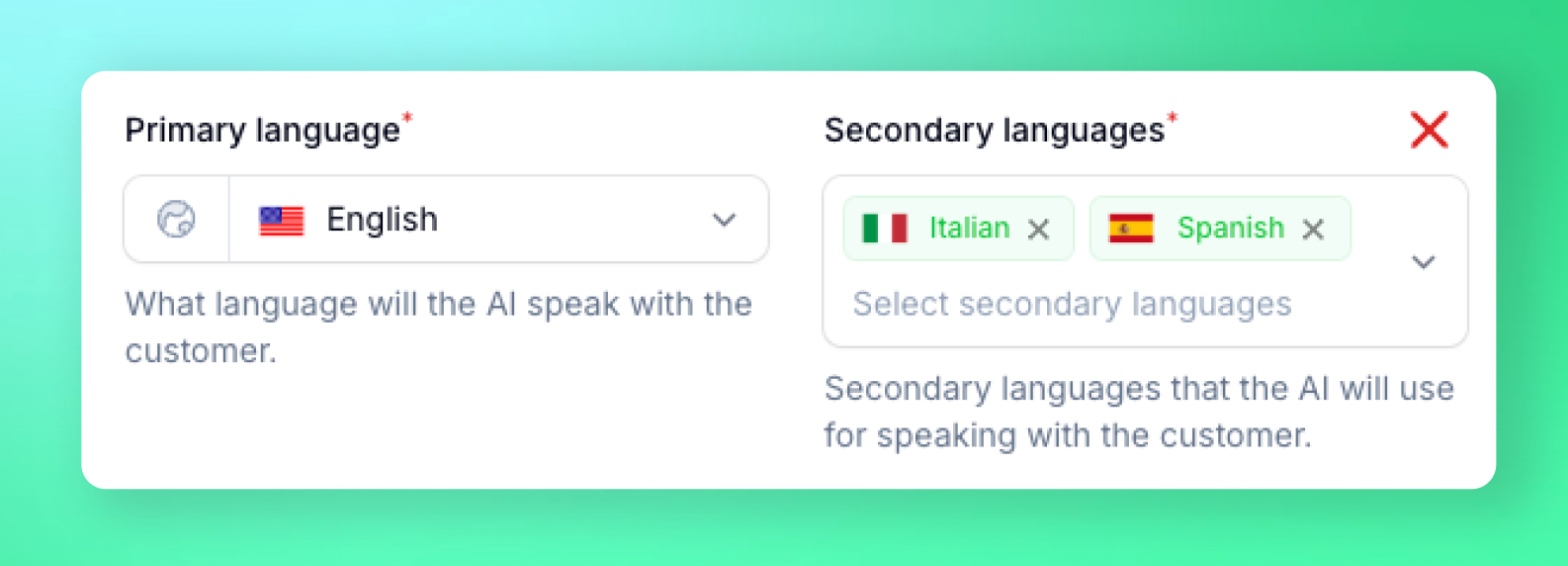
🌍 Multi-lingual assistants
🌐 Web widget - Voice AI for websites
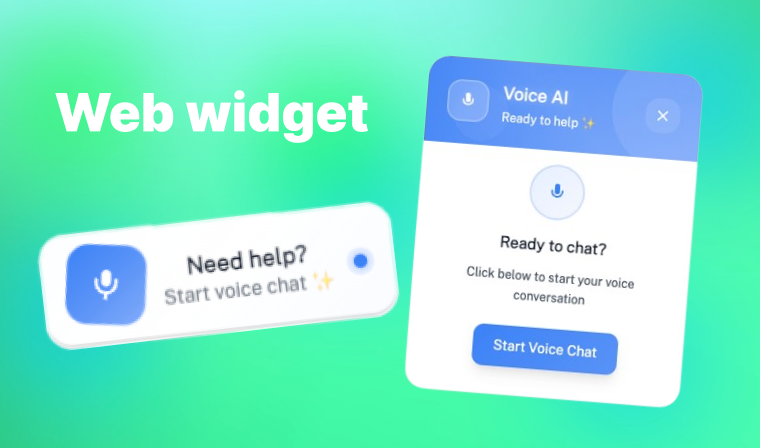
colors, texts, positions and more. Paste the generated script tag snippet on any website page and you’re good to go.May 26 2025
🌟 Go High Level calendar integration
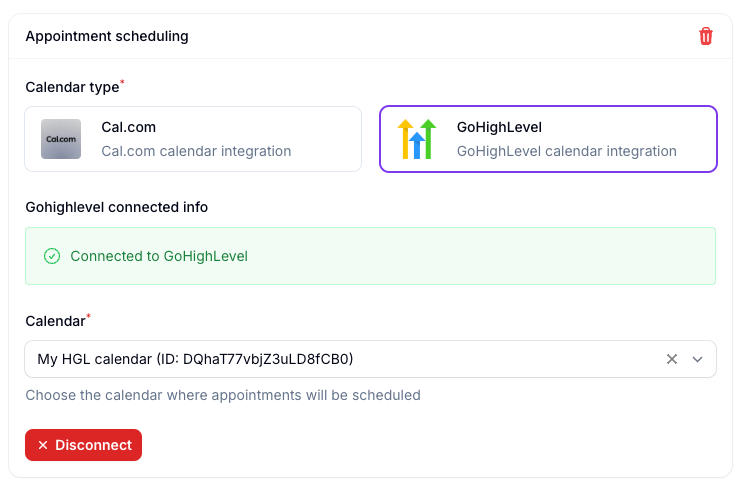
New Gemini 2.5-flash dialog model (beta)
Added newest speech to speech model performing best for quality and latency. Includes 30+ voices and works in multi-lingual as well.🖥️ Application
Interface
- Added account level timezone setting
- Added minimum words interruption option in assistant settings
- Added volume slider for background ambiance audio
White label panel
- Panel redesign
- You can now create custom system prompts on your instance for your users to choose from
- Integrate Google/LinkedIn social providers for login/register
⚙️ Automation Platform
- New action: Delete lead - Delete leads programmatically
- New action: Start/Stop campaign - Control campaign status programmatically
- Improved - Automation platform loads 10x faster
🔗 API
- Delete lead - New API endpoint to permanently delete leads
- Start/Stop campaign - Control campaign status programmatically with new API endpoints
May 1 2025
🚀 New 2.0 Voice Engine - Speak Like Never Before

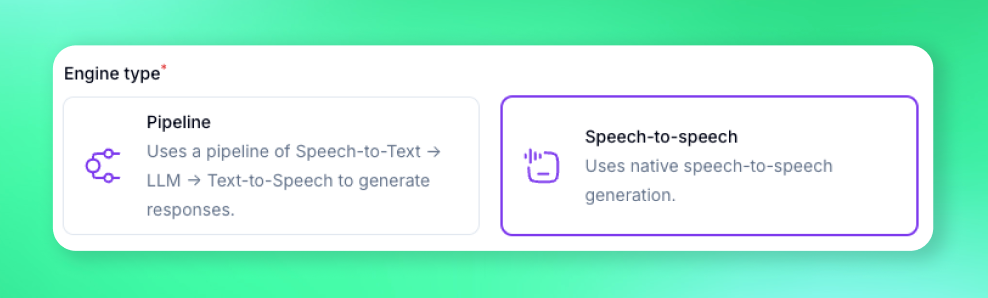
⚡ Real-time Speech-to-Speech Mode
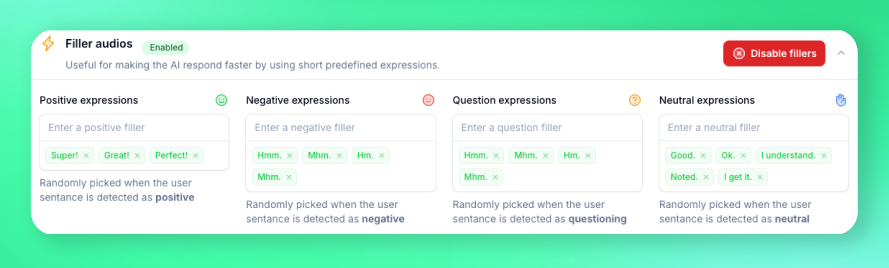
🎭 Sentiment Aware Filler Audios
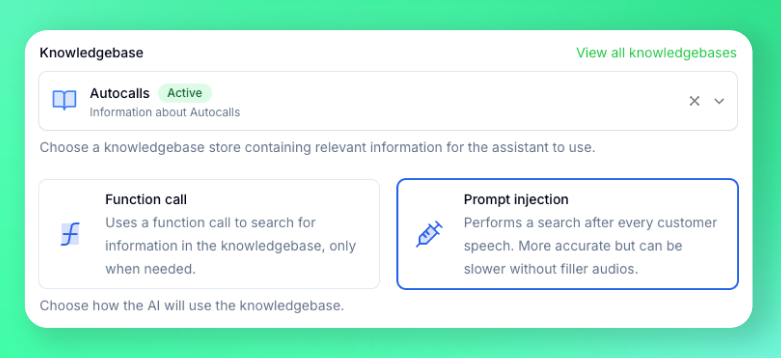
📚 Knowledge Management
Build a Living Knowledgebase in Minutes
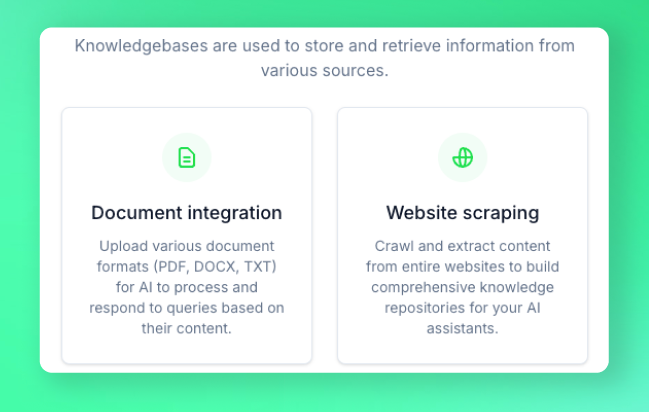
- Point-and-scrape any website — Product docs, help centers, wikis, or Notion pages
- Drag-and-drop PDFs & files — We’ll ingest the text automatically so your agents can use it in-call
🖥️ Application
Call directly from your browser (beta)

Multi number call transfer